What is Unfold?
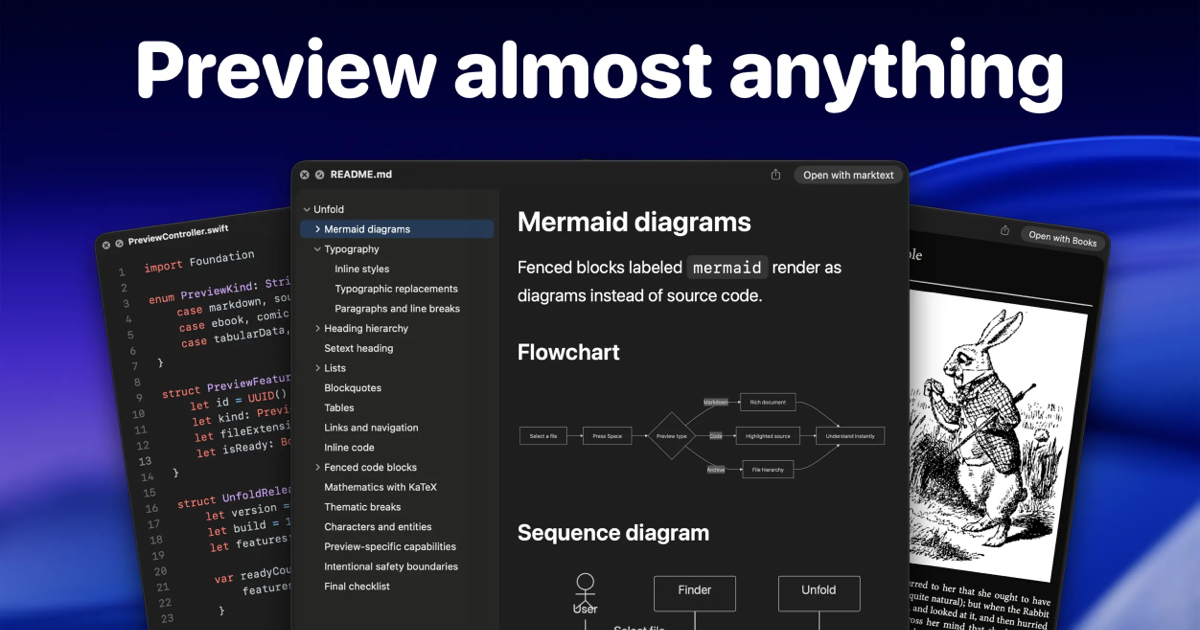
Unfold is a Mac utility for people who regularly inspect files that Finder cannot preview on its own. Press Space in Finder and it renders more than 250 file types inside Quick Look, including folders, archives, source code, Markdown, LaTeX, ebooks, comics, subtitles, torrents, and app bundles. It requires macOS 15.6 or later and is sold as a direct download or through the Mac App Store.
Why Unfold works
Opening a full editor, archive tool, or specialist app just to check one file turns a two second inspection into unnecessary context switching. Unfold adds those missing formats directly to Quick Look, so pressing Space can reveal the contents, structure, or rendered result without launching another app. It brings the file into Finder instead of sending the user out of Finder.
Unfold features
- 250+ file type previews. Preview formats macOS does not normally handle in Quick Look, spanning folders, archives, code, ebooks, comics, subtitles, torrents, and many text formats.
- Archive inspection without unpacking. Look inside formats such as RAR, 7z, ZIP, TAR, and compressed TAR variants without extracting the archive first.
- Rich code and document rendering. Source code gets readable previews, LaTeX renders equations, and Markdown can show diagrams, math, and heading navigation.
- Folder and file inspection. Folder previews calculate the size of their contents, while app bundles, torrents, subtitles, web archives, ebooks, and comics get dedicated previews.
- Per category controls. Users can turn preview categories off when they do not want Unfold handling a particular group of files.
- Local file previews. File contents and preview history stay on the Mac rather than being uploaded or collected.
Who Unfold is for
- Mac developers who inspect source files, configuration files, Markdown, LaTeX, and archives from Finder before deciding whether to open an editor.
- Designers and other Mac users who receive unfamiliar archives or file formats and want to inspect their contents without hunting for a dedicated app.
- Researchers and technical writers working with Markdown, LaTeX, ebooks, tabular data, and text formats who want a readable preview directly from Finder.
- Mac power users who rely on Quick Look and want it to cover more file types without maintaining separate preview tools for each format.
Similar micro SaaS ideas you can build
- Email attachment triage for operations teams. A desktop tool that gives operations staff a safe, readable preview of unusual customer and vendor attachments before they download, forward, or open them in specialist software.
- Data file sanity checker. A lightweight utility for analysts that opens unfamiliar CSV, JSON, log, and export files in a readable preview, showing structure and sample contents before the user imports them into a spreadsheet or analysis tool.
- Build artifact inspector for developers. A developer tool that previews generated files, packaged assets, configuration output, and release artifacts from a project folder so engineers can verify what a build produced without opening several separate apps.