What is TextSniper?
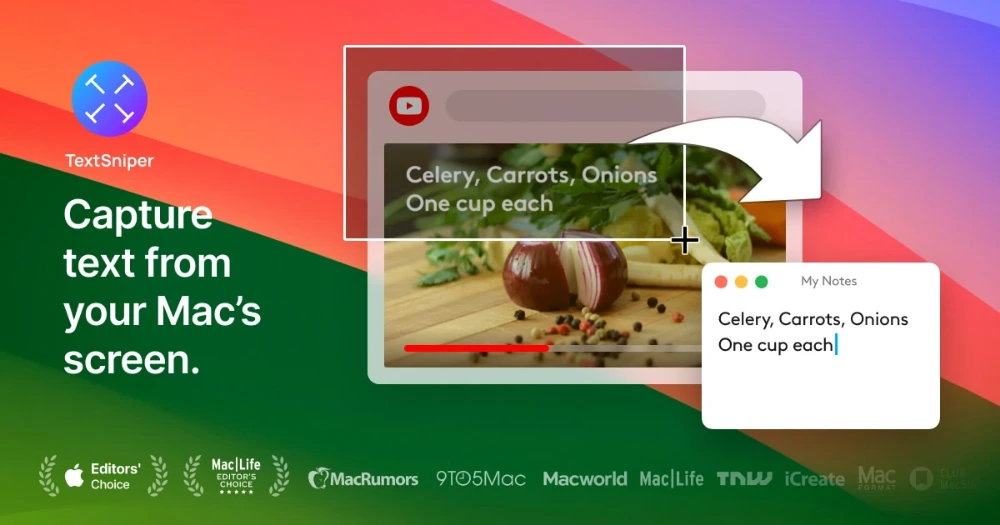
TextSniper is a Mac OCR utility that extracts text from anywhere on screen, including images, PDFs, videos, slides, and websites where the text is not normally selectable. A keyboard shortcut captures a region and copies recognized text to the clipboard. It also reads QR codes and barcodes, supports text to speech, and runs OCR on device.
Why TextSniper works
Copying text from a screenshot, a video frame, or a locked PDF normally means retyping or running a separate OCR tool. TextSniper collapses that to a keyboard shortcut and on device recognition, so the recovered text lands in the clipboard in seconds without the file ever leaving the Mac.
TextSniper features
- Screen region OCR. A keyboard shortcut, by default CMD+Shift+2, captures any screen region and sends the recognized text to the clipboard.
- On device recognition. OCR runs locally so source images and PDFs are not uploaded to a server.
- QR and barcode reading. The same capture flow decodes QR codes and barcodes from the screen.
- Text to speech. Captured text can be read aloud, useful for accessibility and language learning.
- Customizable shortcuts. Capture shortcuts can be rebound to fit existing keyboard workflows.
- Menu bar only footprint. The app lives in the menu bar without cluttering the dock.
Who TextSniper is for
- Students copying quotes from locked PDFs and lecture videos who need editable text for citations.
- Language learners pulling text from subtitled videos or photo signs to drop into a translator.
- Customer support engineers grabbing error messages from screenshots customers paste into tickets.
- Researchers and analysts extracting figures from PowerPoint slides and webinar recordings.
- Users with dyslexia or reading difficulties who pair captured text with text to speech for easier reading.
Similar micro SaaS ideas you can build
- Receipt OCR for solo accountants. A Mac and iOS tool that captures receipts from screen or camera, extracts line items, and pushes them into QuickBooks or Xero, priced per accountant seat.
- Subtitle to flashcard tool for language learners. A capture utility that grabs subtitle text from streaming videos and turns each line into a spaced repetition flashcard, sold as an annual subscription.
- Slide deck text extractor for analysts. A Mac utility for consultants that batch extracts text from PDF and PowerPoint slide decks into a searchable document database, billed per analyst per month.