What is Cooldock?
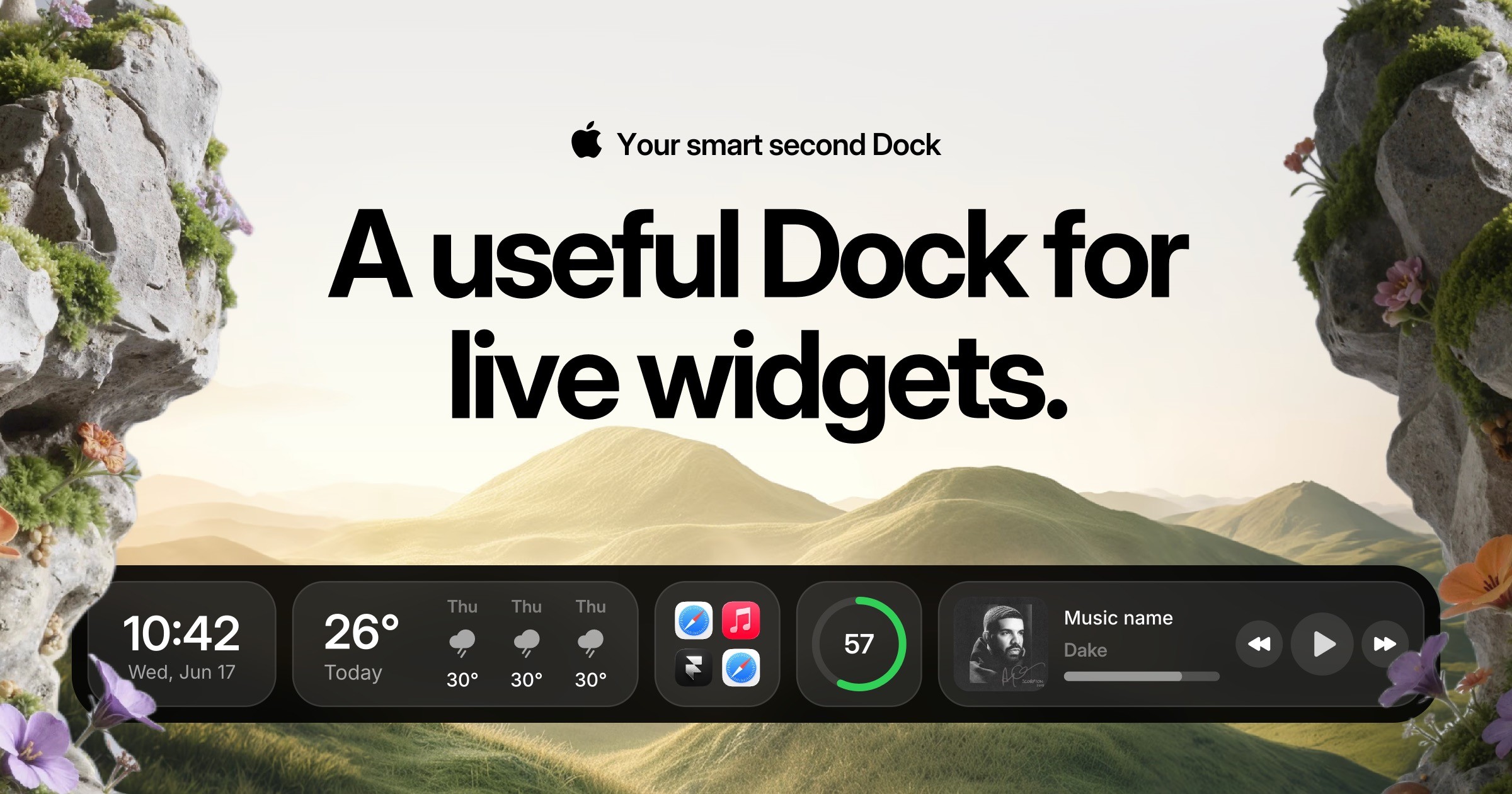
Cooldock is a native macOS app for people who want more at hand than the standard Dock can hold. It adds a second Dock beside the original one, where users can place live widgets for music, weather, calendars, reminders, search, system stats, quick actions, apps, and folders. It requires macOS Sonoma 14.0 or later and the current license is a one-time purchase for one device.
Why Cooldock works
The Mac Dock is good at launching apps, but it turns everything else into extra clicks across menus, widgets, browser tabs, and system settings. Cooldock puts the live bits of the day beside the launcher, so calendar, todos, weather, files, controls, and stats stay visible without replacing the original Dock. It makes the Dock an active work shelf instead of another row of icons.
Cooldock features
- Live second Dock. Keep useful widgets beside the original Dock, including music, todos, events, weather, search, stats, and quick actions.
- Apps and folders. Open favorite apps, organize them into folders, and pin most-used folders inside Cooldock.
- Workday widgets. See today’s events, the next meeting, weekly schedule, join links, reminders, todos, weather, and now playing controls from the Dock.
- Quick utility tools. Use compact widgets for currency and unit conversion, color picking, screenshots, recent files, downloads, clipboard access, and Finder search.
- Founder metrics. Track Polar revenue, MRR, sales, DataFast analytics for the last 7 or 30 days, and social followers from X, TikTok, YouTube, and more.
- Local-first privacy. Most features work locally on the Mac, with macOS permissions requested only for the widgets a user enables.
Who Cooldock is for
- Mac users who keep jumping between widgets, files, controls, and system settings while the Dock only launches apps.
- Indie hackers watching revenue, analytics, and social numbers who want those signals visible without another browser tab.
- Designers and developers who often need colors, screenshots, files, folders, app switching, search, and clipboard access during focused work.
- Calendar-heavy Mac users who want meetings, todos, weather, music, and reminders in one glanceable strip beside their current workspace.
Similar micro SaaS ideas you can build
- Workspace sidecar for support leads. A browser side panel for support managers that keeps queue health, live incidents, pinned macros, customer links, and escalation buttons beside the helpdesk.
- Creator control strip. A desktop app for streamers that keeps follower counts, sponsor timers, music controls, clip buttons, and break reminders visible without opening a full dashboard.
- Session rail. A tablet tray for mobile session based pros like tutors, massage therapists, mobile groomers, and notaries. It pins the next client and address, a per client checklist, a session timer, a quick payment request link, and before and after photo capture beside their calendar.