What is TinyFolder?
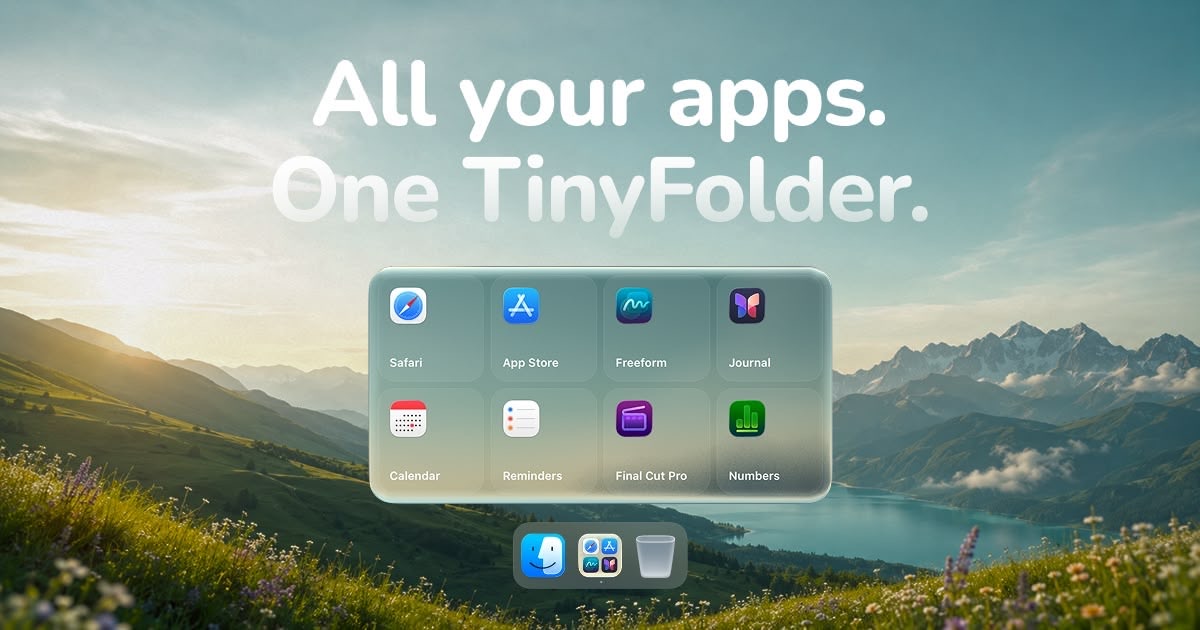
TinyFolder is a native macOS app launcher for Mac users whose Dock is crowded with apps they use together. It groups selected apps into custom folders with icon, list, or large tile layouts, then pins each folder directly to the Dock or opens it with a shortcut. It runs on macOS 13 and later on Apple Silicon and Intel Macs, with no account required.
Why TinyFolder works
A busy Dock forces a bad choice between keeping every useful app visible and hiding tools somewhere slower to reach. TinyFolder turns each recurring set of apps into an adaptive popup with its own icon, layout, and shortcut, so the user opens one relevant group from the Dock instead of scanning a row of unrelated icons or opening a regular macOS folder.
TinyFolder features
- One click Dock folders. Group the apps used together, give the folder its own icon, and pin it beside regular apps for direct access from the Dock.
- Layouts for different app sets. Choose icons, a list, or large tiles, then set columns and pages while the popup adjusts its size to fit the contents.
- Live folder styling. Edit the background, shape, icons, type, blur, depth, glow, and tint while the folder updates in real time.
- Fast keyboard access. Assign a shortcut to any folder and open it from anywhere, with the site stating an open time below 0.4 seconds.
- Private local setup. The app is signed, Apple notarized, and runs locally so personal data does not leave the Mac.
- Free starter and lifetime Pro. Starter includes one folder with up to four apps. Pro costs $21 once for two Macs and adds unlimited folders and apps, 64 presets, four icon packs, and future updates.
Who TinyFolder is for
- Mac users with crowded Docks who repeatedly open the same small groups of apps for different parts of the day.
- Designers who want their most used creative apps in one styled Dock folder rather than spread across the screen.
- Developers who switch between a recurring tool set and want to open it from the keyboard without searching for each app.
- People who prefer a local Mac utility with no account and a one time purchase instead of another subscription.
Similar micro SaaS ideas you can build
- Client workspace starter for consultants. A desktop utility that saves the apps, browser tabs, folders, and call links used for each client, then opens the full workspace from one named shortcut.
- Lesson session launcher for tutors. A small app that prepares one teaching session by opening the video call, lesson plan, whiteboard, notes, and student files from a single student profile.
- Shift toolkit for field technicians. A mobile launch panel that groups the checklist, camera, manual, parts catalog, and reporting form needed for each job type, so the right tools are ready before work starts.