What is Sunlight?
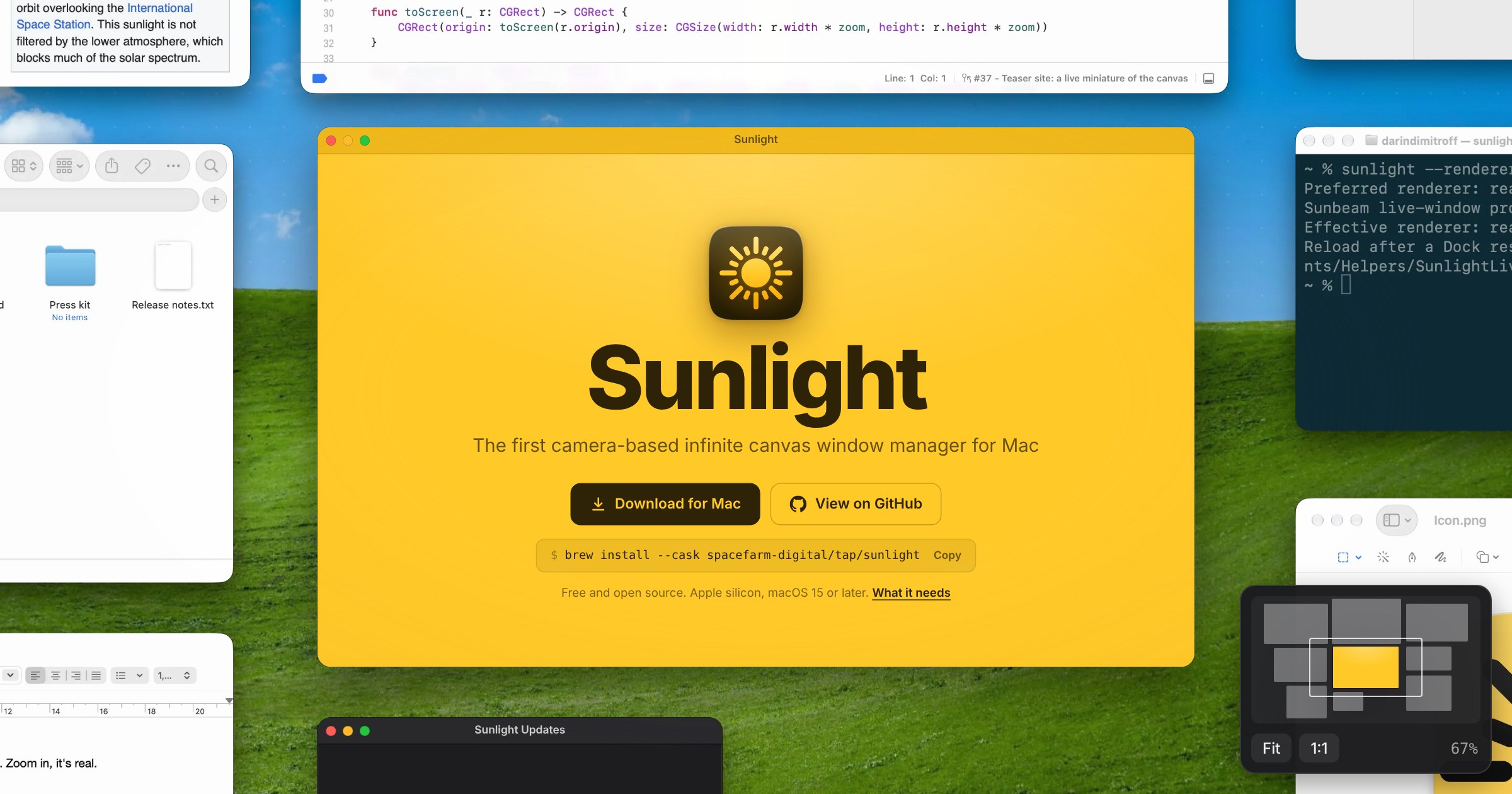
Sunlight is a Mac window manager for people who keep many apps and documents open at once. It places every window on one infinite canvas, where you can zoom out to see the whole workspace, then click a window to work in it at full size. Saved layouts can reopen closed apps and documents, while desktop files and widgets remain part of the same canvas. It is free and open source, and requires Apple silicon with macOS 15 or later for the full setup.
Why Sunlight works
Normal Mac window management hides work behind other windows, so remembering where something is becomes part of the job. Sunlight keeps windows in stable places on a zoomable canvas and lets saved layouts restore the workspace, so you navigate by where work lives instead of repeatedly uncovering a stack of overlapping windows.
Sunlight features
- Infinite canvas. Pan and zoom across one workspace containing all your open windows, then click or pinch into a window to use it at full size.
- Live windows. The full setup shows actual windows scaled in place through a small Dock add on, so you can click, type, and scroll when a window is at full size.
- Saved layouts. Press Command S to save window positions, then use Command 1 through Command 9 to restore them, including reopening apps and documents that were closed.
- Desktop on the canvas. Finder desktop files and widgets sit beside your windows, where files can be opened, renamed, moved, or dragged into another window.
- Picture in Picture for any window. A window can become a small live tile in a screen corner while you work elsewhere, useful for calls, videos, timers, and other persistent views.
- Window placement controls. Windows can snap to guides and a grid, resize from their edges, and use keyboard shortcuts for halves, quarters, thirds, full screen, and centred positions.
Who Sunlight is for
- Mac users who keep many apps and documents open and want to see the whole workspace without digging through overlapping windows.
- Designers and developers moving between reference material, working files, terminals, and browsers who want each window to keep a stable place.
- People who repeatedly reopen the same group of apps and documents and want saved layouts that can restore that working arrangement.
- Apple silicon Mac users comfortable changing part of System Integrity Protection to enable the full live window mode.
Similar micro SaaS ideas you can build
- Case workspace for investigators. A research workspace for journalists, analysts, and investigators that keeps sources, notes, timelines, and evidence in fixed spatial positions. Reopening a case restores the same arrangement, so relationships stay visible without rebuilding the research context.
- Reusable desk setups for recurring workflows. A workspace launcher for people who repeat structured processes such as monthly reporting, podcast production, or client reviews. Each workflow restores the exact documents, tools, and reference material needed for that job instead of making the user reopen everything manually.
- Visual memory layer for long projects. A project companion for writers, researchers, and solo builders that remembers where working material was placed across weeks or months. Returning to a project restores its visual context, so resuming work starts with recognition instead of reconstructing what was open and why.