What is Woday?
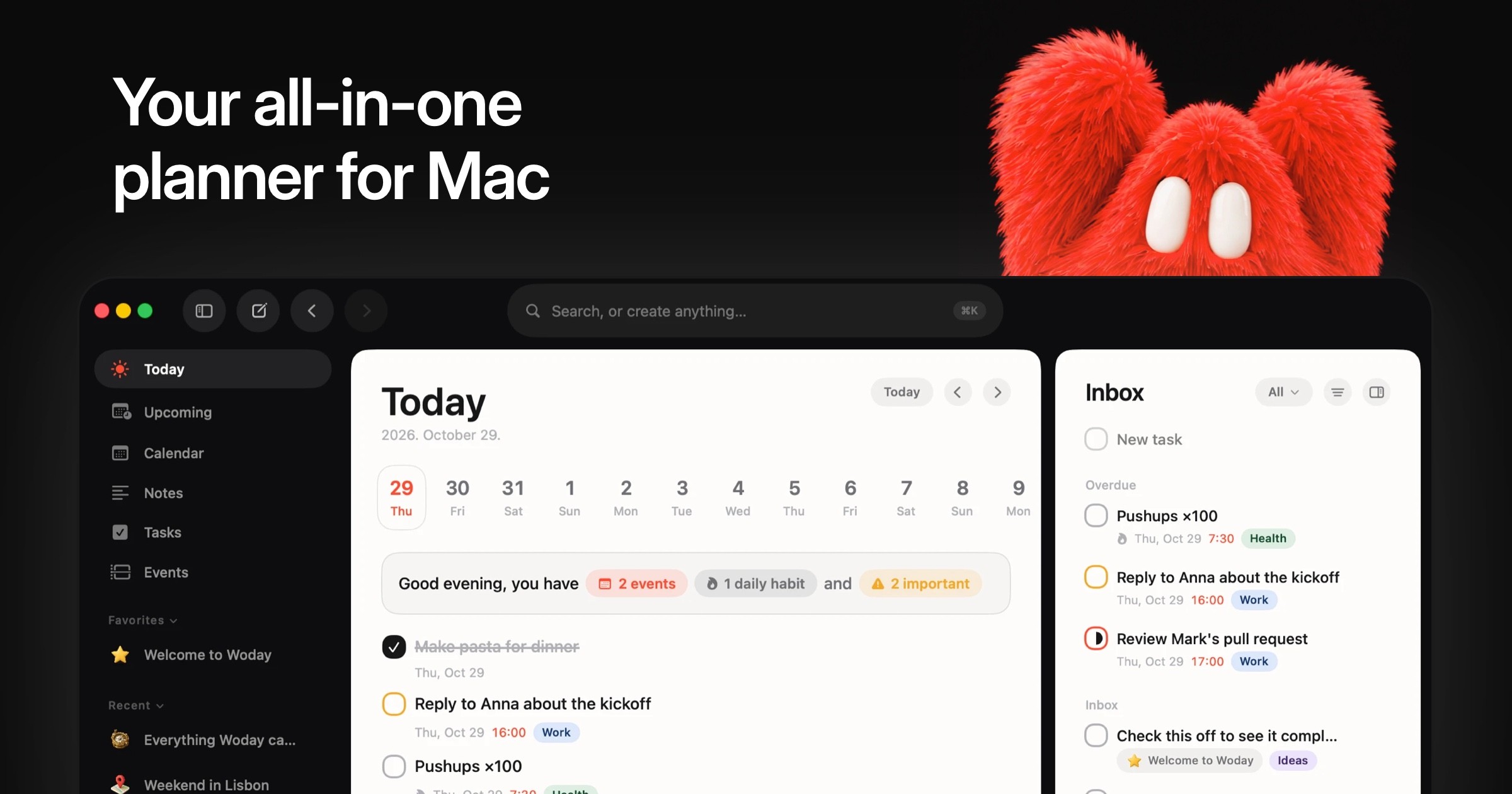
Woday is a Mac planner for people who want their schedule, tasks and notes in one workspace. Calendar events can connect to tasks and notes, recurring tasks can become habits, and the block based editor can create tasks and events directly inside a page. Woday requires macOS 26 or later, stores data locally by default, and can sync between Macs through a private iCloud database.
Why Woday works
A calendar event in one app, its checklist in another, and the notes in a third turns planning a day into constant window switching. Woday connects those pieces directly, so an event can carry its related work and notes while the same tasks appear in list, board and calendar views. It builds the day in one connected workspace instead of reconstructing it across three tools.
Woday features
- Connected calendar. Calendar events can link to tasks and notes, with weekly, monthly and two, three or four day views. Apple Calendar events appear inside Woday, including Google and Outlook calendars already added to macOS.
- Tasks and habits. Tasks support subtasks, reminders, due dates, priorities, statuses and tags. Recurring tasks can become habits, and work can be viewed as a list, Kanban board or calendar.
- Block based notes. Notes use a block based editor where users can create tasks, subtasks, events and other notes directly inside a page. Notes can also be organized with folders, tags, icons and covers.
- Quick Launcher. A keyboard shortcut opens a launcher for searching, creating tasks, scheduling events and capturing notes without moving to another window.
- Local data with iCloud sync. Everything is stored on the Mac when sync is off. Optional iCloud sync uses the user's private CloudKit database to keep data aligned across Macs, and Woday says it has no access to that synced data.
Who Woday is for
- Mac users who currently split daily planning between a calendar, task manager and notes app and want those pieces connected in one window.
- People managing recurring routines who want habits, reminders, priorities and project tasks alongside the calendar that drives their day.
- Apple Calendar and Reminders users who want their existing events and reminders visible beside richer tasks and notes.
- People using more than one Mac who want optional iCloud sync without creating a separate Woday account.
Similar micro SaaS ideas you can build
- Client call follow through for consultants. A lightweight workspace where each client call carries its prep checklist, working notes and resulting actions, so commitments made during a meeting do not disappear into a separate task list.
- Field visit runbook for service businesses. A mobile friendly tool for small inspection or repair teams that packages each scheduled visit with the right checklist, site notes and follow up jobs, while recurring maintenance becomes a repeatable routine.
- Shift routine tracker for small venues. An operations tool for cafes, studios and other small venues that turns opening, closing and weekly checks into recurring routines, with notes attached to each shift when something needs attention.