What is Flapdot?
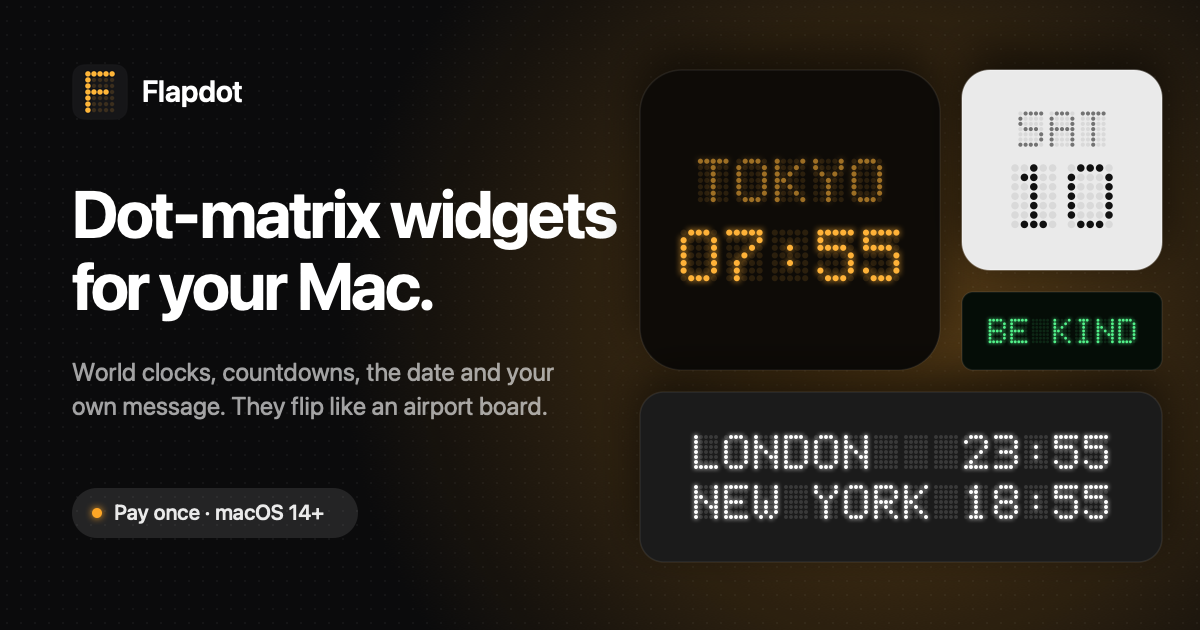
Flapdot is a Mac widget app for people who want useful information to stay visible without opening another app. It puts world clocks, a large clock, the date, time progress, countdowns and custom messages directly on the desktop, all styled like flipping airport boards. It runs on macOS 14 Sonoma or later on Apple silicon and Intel Macs, with six widgets and eight themes included.
Why Flapdot works
Useful dates, deadlines and time zones are easy to forget when they live behind a calendar, menu or notification you have to open. Flapdot keeps those details on the desktop in large dot matrix boards that update as time changes, so the information stays in sight instead of waiting behind another click.
Flapdot features
- Six desktop widgets. Choose from World Board, Clock, Day, Progress, Countdown and Sign, covering time zones, dates, elapsed time, upcoming events and custom text.
- World clocks for up to eight cities. World Board can show four cities at medium size, eight at large size or seven on the extra large board, with 68 cities available across time zones.
- Countdowns that stay visible. Give a countdown a label, date and time, then keep the remaining days, hours and minutes on the desktop. You can add as many countdown widgets as you like.
- Eight visual themes. Every widget works with Midnight, Obsidian, Paper, Matcha, Lemon, Sky, Amber and Phosphor, with themes set globally or per widget.
- Private local settings. Flapdot needs no account and has no tracking or analytics. Settings stay on the Mac, with only the license key sent out for validation.
- Lightweight updates. Widgets wake once a minute to refresh and sleep the rest of the time rather than running continuously.
Who Flapdot is for
- Mac users who want clocks, dates and deadlines visible on the desktop instead of checking the menu bar or opening a calendar.
- Remote workers coordinating across several time zones who want their team or client cities visible at a glance.
- People tracking launches, trips, birthdays or deadlines who want a countdown they see whenever they return to the desktop.
- Mac users who prefer local desktop utilities with no account, tracking or analytics.
Similar micro SaaS ideas you can build
- Launch day command board. A glanceable display for indie makers that keeps the next launch milestone, release countdown and current rollout stage visible throughout the workday, so launch status does not disappear inside a project tool.
- Shared custody schedule display. A simple home dashboard for separated parents that always shows who has the children today, the next handoff and upcoming school dates, making the week understandable without repeatedly checking a calendar.
- Trading session clock for global markets. A focused display for investors that shows which major market sessions are open, when the next one starts and how much time remains, turning several time zone calculations into one persistent view.