What is WidgetScreen?
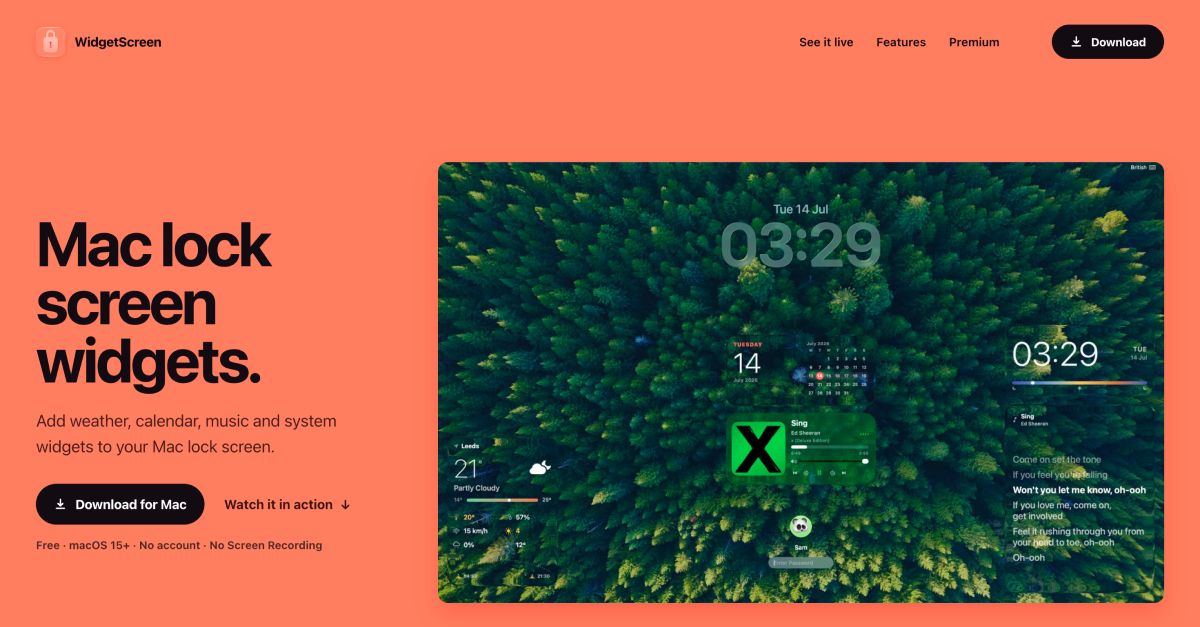
WidgetScreen is a Mac lock screen widget app for users who want useful context before unlocking their computer. It lets them add weather, clock, calendar, Now Playing, battery, and system widgets, then place and style each one around the wallpaper. It is free on macOS 15 or later, with Premium available as a $9.99 one time purchase.
Why WidgetScreen works
A Mac lock screen is usually wasted space, either blank or covered by widgets that need risky screen permissions. WidgetScreen uses native window placement and hides itself when you sign in, so the lock screen shows live context instead of asking for wallpaper capture or Screen Recording access.
WidgetScreen features
- Lock screen widgets. Weather, calendar, clock, Now Playing, battery, and system widgets appear when the Mac locks and disappear when the user signs in.
- Flexible layouts. Users can position widgets on a flexible grid, target a display, and adjust glass so the widgets read well against the wallpaper.
- Privacy friendly placement. The app works without an account, wallpaper capture, or Screen Recording permission, because it uses native window placement.
- Signed Mac install. WidgetScreen is signed with a Developer ID and notarised by Apple before every release.
- Premium controls. A $9.99 Premium purchase adds a Devices widget, time synced lyrics, larger widget sizes, individual styling, saved profiles, automatic layouts, extra clocks, and motion.
Who WidgetScreen is for
- Mac users who keep a desktop docked across the room and want weather, time, events, and music visible before signing in.
- People who use a carefully arranged wallpaper and want widgets they can place around it without letting an app read the screen.
- Laptop users watching battery status for AirPods, Magic Keyboard, Mouse, or Trackpad before they unplug.
- Mac owners on macOS 15 or later who want lock screen context without creating an account.
Similar micro SaaS ideas you can build
- Meeting room idle display. A Mac display layer for shared meeting rooms that shows the next booking, current time, and connection details while the computer is locked, then clears when the session starts.
- Retail counter signage. A Mac based point of sale display that shows store hours, promo of the day, and a queue number while the till is locked between customers, then clears when staff sign back in.
- Classroom lab standby screen. A Mac lab display for schools and libraries that shows session time remaining, printing balance, and a "please wait" notice while the machine is locked between student logins, then clears once the next student signs in.