What is BugSmash?
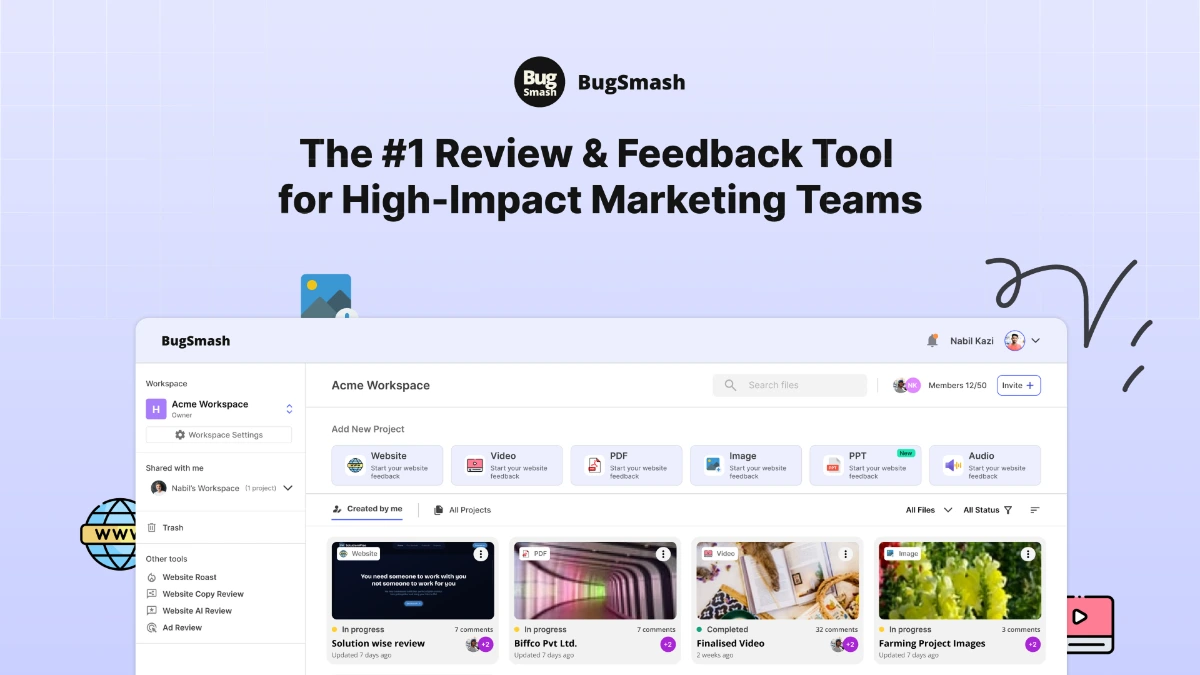
BugSmash is a web tool for leaving threaded comments and annotations directly on live websites, mobile apps, videos, images, PDFs, and audio files. It is positioned as a feedback hub for design, marketing, and development teams who currently shuffle review notes across Slack, email, and screenshots. The product centralises every review thread against the asset it belongs to.
Why BugSmash works
Most teams review work by sending screenshots and scattered messages, which loses context the moment someone replies in the wrong thread. BugSmash anchors every comment to the exact frame, timestamp, or page element so the review record stays inside the asset rather than across five tools. That removes the back and forth that delays approvals.
BugSmash features
- Annotate live websites and apps. Drop comments directly onto live URLs and mobile app screens so reviewers point at the actual rendered element rather than a screenshot.
- Multi format support. Review videos, images, PDFs, and audio with comments anchored to timestamps or regions inside the same workspace as web reviews.
- Threaded comments. Reply inside a comment thread tied to a specific element so conversations stay scoped instead of mixing into a generic project chat.
- Anonymous feedback option. Collect feedback from external reviewers without forcing them through a login so client and user input arrives without friction.
- Version management. Track multiple versions of the same asset so old feedback stays linked to the version it referenced rather than confusing the next round.
- Real time notifications. Notify the right team member the moment a comment is posted or a status changes so review cycles do not stall waiting for someone to check email.
Who BugSmash is for
- Design teams running multiple rounds of client feedback on websites and brand assets without a single source of truth.
- Marketing teams reviewing campaign videos and PDF deliverables across stakeholders who do not all live in Figma.
- Product managers and developers collecting bug reports and visual feedback on staging environments before release.
- Agencies managing client approvals on a roster of websites, brand assets, and ad creative across timezones.
Similar micro SaaS ideas you can build
- Client approval portal for agencies. White label portal for boutique agencies that consolidates client approvals across websites, decks, and video, billed per client workspace.
- Mobile app QA recorder. Tool for QA teams that records reproducible bug clips on iOS and Android with device metadata attached, sold per tested app.
- Content review for editorial teams. Annotation tool for newsroom and content marketing teams that anchors comments to specific paragraphs and headlines, billed per editor seat.
- Visual brand audit tool. Service that crawls a brand's web properties and lets brand managers leave compliance notes on each rendered page, priced per audited property.