What is Gixo Lumen?
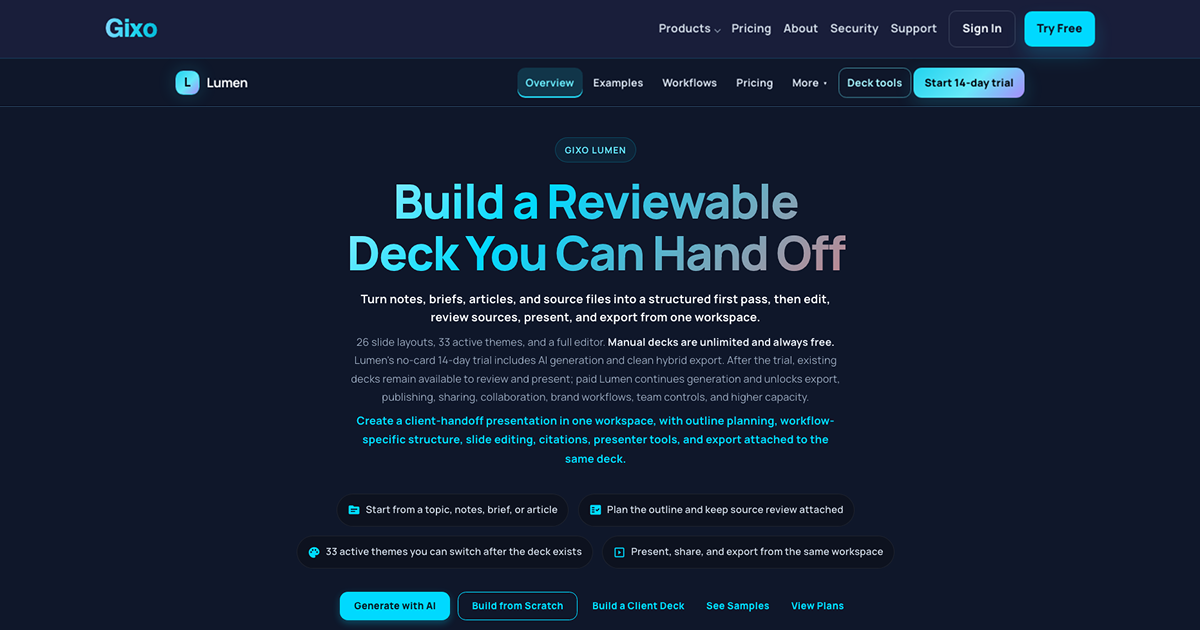
Gixo Lumen is AI presentation software for founders, consultants, and operators who need structured business decks from topics, notes, briefs, articles, or uploaded reference material. It can plan the outline before generation, then keeps slide editing, citations, themes, presenter tools, and export attached to the same working deck. The product has 33 active themes, 25 slide layouts, 8 workflow profiles, and exports PPTX, PDF, HTML, and slide images.
Why Gixo Lumen works
A generated slide deck is not much help if reviewers must rebuild the narrative or move it into another editor before it can be handed off. Lumen lets users review the outline before generation, then edit slides, check sources, present, and export from the same deck, so the work is refined in place instead of reconstructed in a second presentation tool.
Gixo Lumen features
- Review the story before generation. Users can inspect and change the outline before the full deck is built, including section order, audience, evidence needs, and missing transitions.
- Edit the finished deck in place. Every slide can be edited after generation. Users can change text, swap layouts, reorder slides, regenerate sections, switch themes, and use undo and redo history.
- Change the visual system after content exists. Lumen has 33 active themes and 25 slide layouts, so the visual direction can change without rewriting the presentation.
- Keep sources and citations with the deck. Source context, citations, and evidence review stay available while the presentation is being edited, giving reviewers one place to check claims before delivery.
- Hand off in four formats. Decks export as PPTX, PDF, HTML, and slide images. PowerPoint export keeps supported layouts as editable text and shapes while complex slides may export as images to preserve their appearance.
Who Gixo Lumen is for
- Consultants turning notes, interviews, analysis, and source files into client presentations that need review before handoff.
- Founders building fundraising or investor decks who want to shape the story before committing to the full slide build.
- Operators preparing board or executive updates who need source review, presenter tools, and export attached to the same deck.
- Sales and marketing teams building buyer narratives that need editing, sharing, and a usable PowerPoint handoff.
Similar micro SaaS ideas you can build
- Investment memo builder for angel syndicates. Turn founder materials, call notes, and diligence documents into a structured investment memo with evidence attached to each claim. Reviewers can challenge gaps and reorder the case before the memo goes to the investment committee.
- Incident postmortem builder for engineering teams. Turn alerts, timeline notes, chat excerpts, and incident records into a structured postmortem. Teams review the sequence and supporting evidence before publishing a final account of what happened and what changes next.
- Grant report builder for nonprofits. Turn program notes, outcome data, and supporting documents into a funder ready report organized around the required narrative and evidence. Staff can review missing support before submitting the finished report.