What is AI for Google Slides?
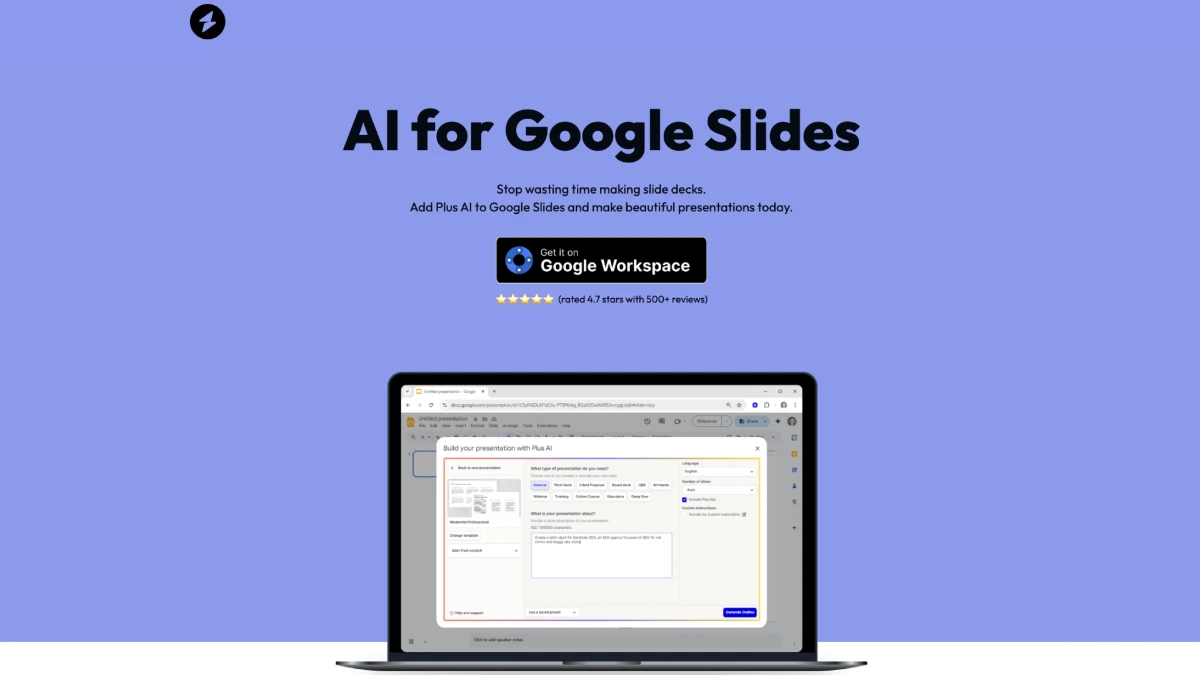
AI for Google Slides, marketed as Plus AI, is a Google Workspace add-on that drafts and edits presentations inside Google Slides. Users describe a deck or upload a source document, and the add-on builds slides, applies branding, and lets the user keep editing in native Google Slides.
Why AI for Google Slides works
Building a deck from scratch usually means rewriting an outline twice, formatting one slide at a time, and rebuilding brand colors on every template. The add-on collapses that into a generation step inside the editor people already use, so output stays in Google Slides instead of a proprietary tool.
AI for Google Slides features
- Prompt to deck. Generates a full slide deck from a prompt or uploaded document so users skip the outline-then-format loop.
- Brand controls. Applies brand colors and logos to generated slides so output matches existing templates without manual restyling.
- Slide type library. Provides hundreds of slide layouts the AI can choose from when assembling a deck.
- Native Google Slides edit. Generated slides remain standard Google Slides objects, so the rest of the team can edit them with no add-on installed.
- PowerPoint add-in. The same workflow is offered as a Microsoft PowerPoint add-in for teams that work outside Google Workspace.
Who AI for Google Slides is for
- Sales reps assembling pitch decks who need to turn a discovery call summary into branded slides in minutes.
- Consultants and agencies repurposing long research documents into client-ready presentations.
- Internal communications teams turning quarterly updates into all-hands decks without a designer.
- Educators and corporate trainers building course materials who want consistent layouts across many lessons.
Similar micro SaaS ideas you can build
- Investor update generator. Tool that turns founders' monthly metrics and Notion notes into a formatted investor update deck, sold as a per-startup monthly plan.
- RFP response builder. Slides add-on for B2B sales teams that pulls answers from a company knowledge base into branded RFP decks, priced per seat.
- Conference talk drafter. Add-on for speakers that turns a written talk outline into a paced slide deck with speaker notes, billed per conference season.
- Course slide generator for teachers. Add-on for K-12 and university instructors that converts lesson plans into accessible slide decks, sold per school district.