What is Peek?
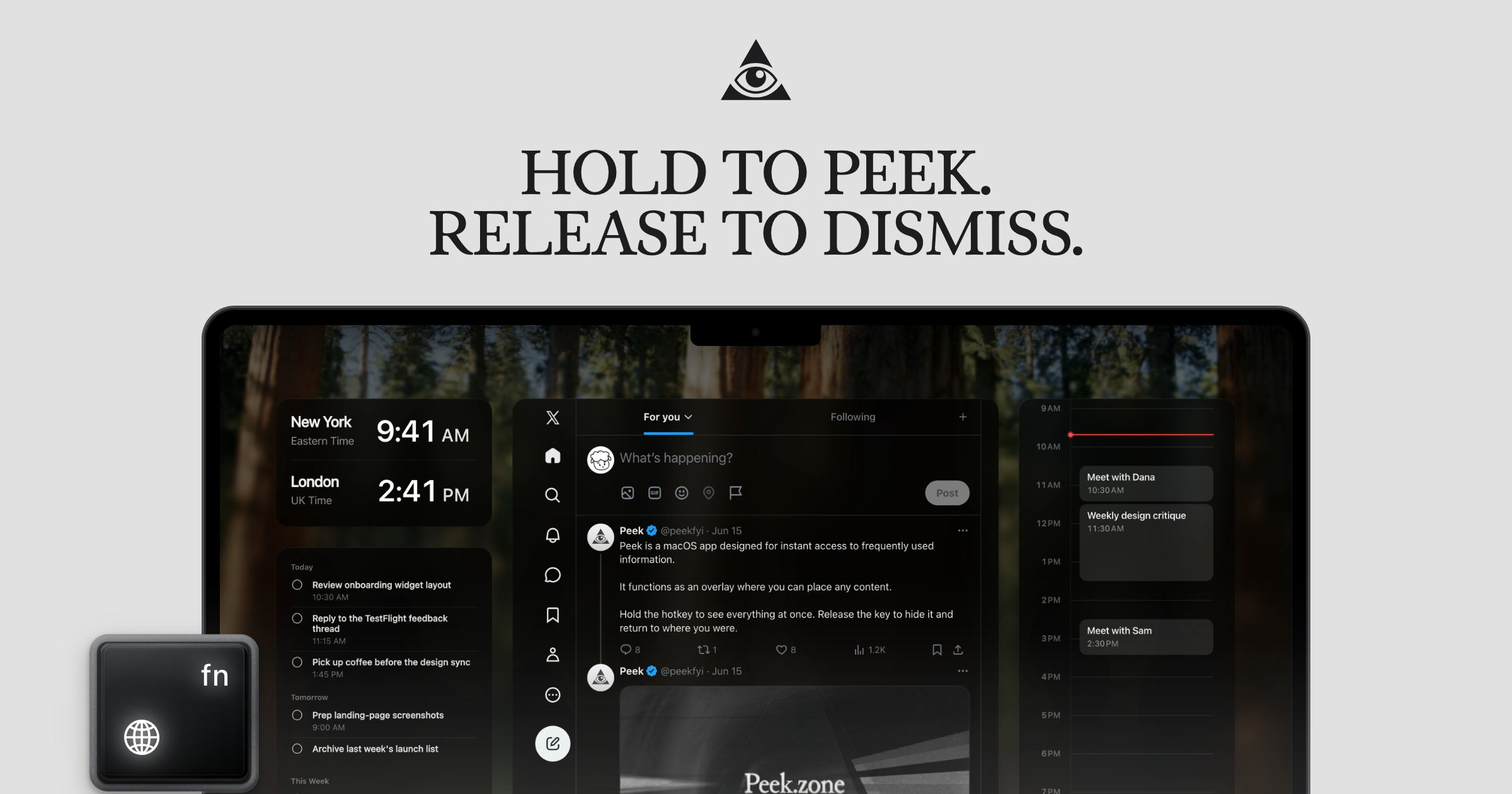
Peek is a macOS overlay for people who repeatedly check the same websites, files, and widgets while working. Hold a custom shortcut to reveal a temporary workspace containing websites, local PDF or HTML files, Calendar, Reminders, and other widgets, then release it to return to the current app. Peek supports macOS 14.2 or later on Apple silicon and Intel Macs.
Why Peek works
A quick check often turns into a trail of windows and browser tabs before you reach the thing you wanted. Peek keeps frequently checked content inside one shortcut driven overlay, so metrics, tasks, references, or events appear over the current workspace instead of forcing another round of app switching.
Peek features
- One shortcut for quick checks. Hold a chosen key combination to show Peek temporarily, then release it to return to work. Tap the shortcut when you want the overlay to stay open for interaction.
- Mixed content in one layout. Websites, local PDF and HTML files, and built in widgets such as Calendar, Reminders, and Timezone can sit together in the same overlay.
- Freeform layouts. Drag and resize content to build a workspace around what you check most often, with layouts that can differ by display or sync across screens.
- Cleaner website views. Hide page elements you do not need, with options to block ads, trackers, and cookie banners inside the content you keep in Peek.
- Automatic refresh. Set an auto refresh interval for content that needs to stay current without manually reloading it.
- Open in the original app. Right click content to hand it off to its default app when a quick glance turns into work that needs more space.
Who Peek is for
- Developers who repeatedly check GitHub pull requests, Linear issues, metrics, and calendar events while coding.
- Designers who collect visual references from sites such as Pinterest and X without wanting to leave the current workspace.
- Mac users who keep the same dashboards, feeds, tasks, news, stats, and notes open throughout the day.
- Multi display users who want separate quick access layouts for different screens.
Similar micro SaaS ideas you can build
- Meeting context pack. A small app that assembles the few things someone checks before a recurring meeting, such as the calendar event, reference files, tasks, and selected web pages, then presents them together when the meeting approaches.
- Recurring web check monitor. A tool for people who repeatedly revisit the same pages that watches selected page regions and surfaces only what changed. It turns routine checking into a compact update instead of another cycle through browser tabs.
- Task linked reference shelf. A desktop utility that lets users attach websites, PDFs, and other reference material to recurring tasks. Starting a task brings the relevant material forward together, so the user does not have to reconstruct the same working context each time.