What is AutoShelf?
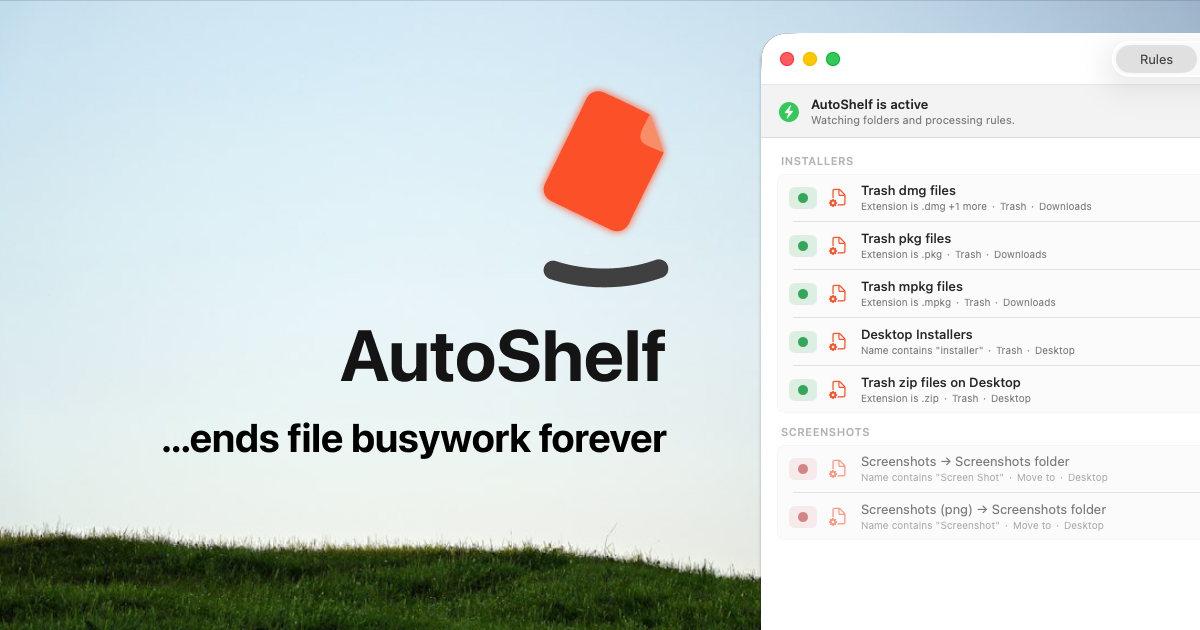
AutoShelf is a rules based Mac file organizer for people whose Downloads, Desktop, or screenshot folders keep filling up. You choose a folder, set conditions such as file type, source URL, download app, size, age, filename, document text, or photo EXIF data, then choose what should happen to matching files. It runs from the menu bar on macOS 14 Sonoma or later, with one rule free and unlimited rules available for a $19.99 one time purchase.
Why AutoShelf works
Downloads folders become cleanup jobs because every new file arrives before you have time to decide where it belongs. AutoShelf turns those repeated decisions into rules that act as files arrive, so filing happens at arrival instead of becoming a cleanup session later.
AutoShelf features
- Rule based folder watching. Rules can match files by type, source URL, download app, size, age, filename, document text, or photo EXIF data, then move, copy, rename, tag, trash, archive, or optimize them.
- Content aware routing. AutoShelf can read text inside documents, letting invoices go to Finance, receipts to Expenses, contracts to Legal, or confidential files receive a tag.
- EXIF photo sorting. Photo rules can read six EXIF fields, including camera model, lens, ISO, aperture, GPS location, and date taken, to route images automatically.
- Quick Action Zones. Drop a file onto a configured zone to run one action immediately, such as converting an image, archiving a project to ZIP, or filing an invoice. You can create as many zones as needed.
- Dry run previews. A dry run shows which files match a new rule and what will happen before anything changes. Zero files are touched until the rule is enabled.
- Local CLI and MCP control. Developers can create and run rules from the AutoShelf CLI or connect local MCP clients including Claude Desktop, Codex, Cursor, and Windsurf. The tools communicate with AutoShelf locally on the Mac.
Who AutoShelf is for
- Developers downloading repositories, SDKs, patches, and archives who want files routed to a workspace by source, type, or filename.
- Photographers handling RAW files, exports, client assets, and mood boards who want new files sorted into project folders by type, size, or date.
- Freelancers whose invoices, contracts, deliverables, briefs, screenshots, and other downloads keep landing in the same folders.
- Students collecting lecture slides, readings, assignments, and research papers who want downloads sorted by course, type, or semester.
Similar micro SaaS ideas you can build
- Client handoff checker for creative studios. A desktop intake tool that watches delivery folders, checks filenames and file types against each client's handoff rules, then routes approved assets and flags anything that needs fixing before delivery.
- Sensitive document quarantine for small teams. A local utility that scans incoming documents for defined terms or patterns and automatically moves likely contracts, tax files, or confidential records into protected folders instead of leaving them mixed with everyday downloads.
- Dataset intake pipeline for researchers. A desktop tool that watches folders for new CSVs, images, archives, and papers, then sorts each file into the right project, renames it to a consistent convention, and archives raw inputs before analysis starts.