What is Reverse Image Search Tools?
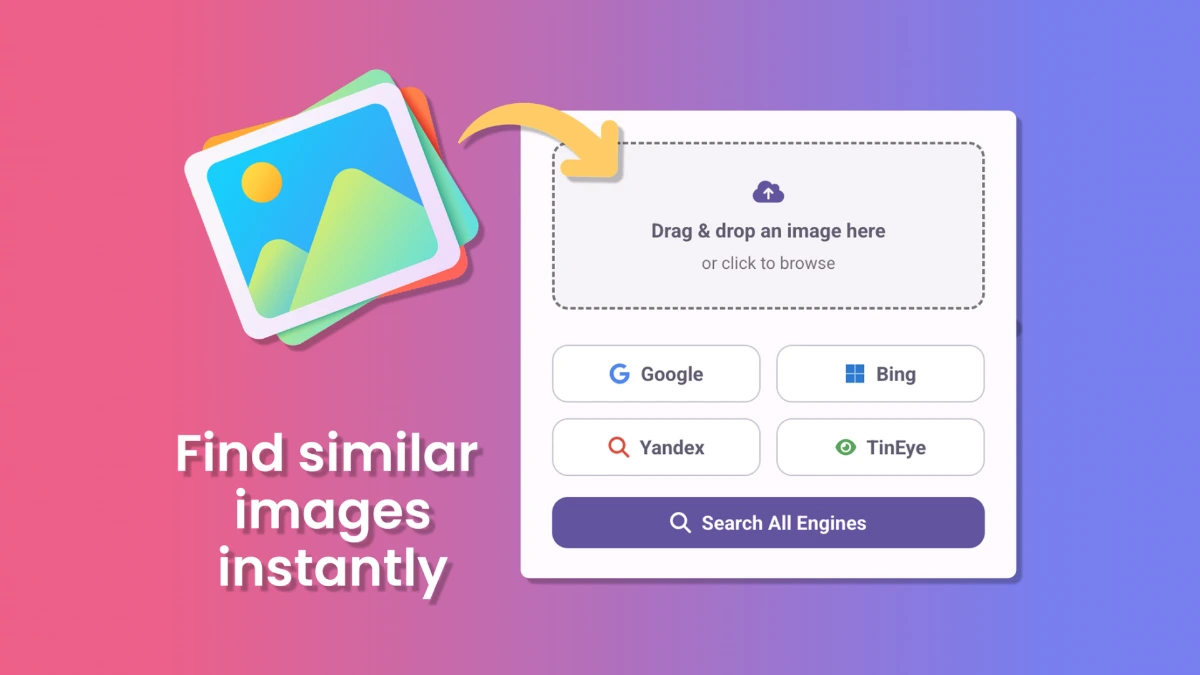
Reverse Image Search Tools is a Chrome extension that runs reverse image lookups across Google, Yandex, Bing, and TinEye from a single drag-and-drop or right-click. It can search one engine at a time or fire all four in parallel, opening results in separate tabs. The listing positions it for journalists, designers, photographers, and online sellers who verify image origins frequently.
Why Reverse Image Search Tools works
Running the same image through four different search engines means downloading the file, opening four sites, and uploading to each one, which is enough friction that most people give up after one engine. The extension consolidates that into one right-click, so users actually use the additional engines and find matches that any single engine would miss.
Reverse Image Search Tools features
- Drag and drop search. Drop any local image into the extension to start the search without saving and re-uploading.
- Right-click on any web image. Search images from web pages directly through the context menu, with no need to download them first.
- Search all engines at once. One click runs the same image through Google, Yandex, Bing, and TinEye and opens each result in its own tab.
- Per-engine fallback. When one engine misses, users can switch to another from the same menu, useful when Yandex finds matches Google does not.
Who Reverse Image Search Tools is for
- Investigative journalists verifying that a viral photo is real before publishing, who need fast cross-engine checks against TinEye and Yandex.
- Stock photographers and illustrators checking for unauthorized reuse of their own work across the web.
- Online sellers researching product photos on AliExpress and Amazon to find the original source or competing listings.
- Designers vetting client-supplied images for licensing risks before placing them in published creative.
Similar micro SaaS ideas you can build
- Image misuse monitor. A SaaS for photographers that watches a portfolio and pings the photographer when their images appear on new sites, billed per image tracked.
- E-commerce listing dedupe. A tool for marketplaces that finds duplicate or copied listings across Amazon and Etsy by image, sold per storefront monitored.
- Fact-checker workbench. A research tool for newsroom verification teams that combines reverse search with EXIF analysis and geolocation hints, sold per newsroom.