What is RabbitHoles AI?
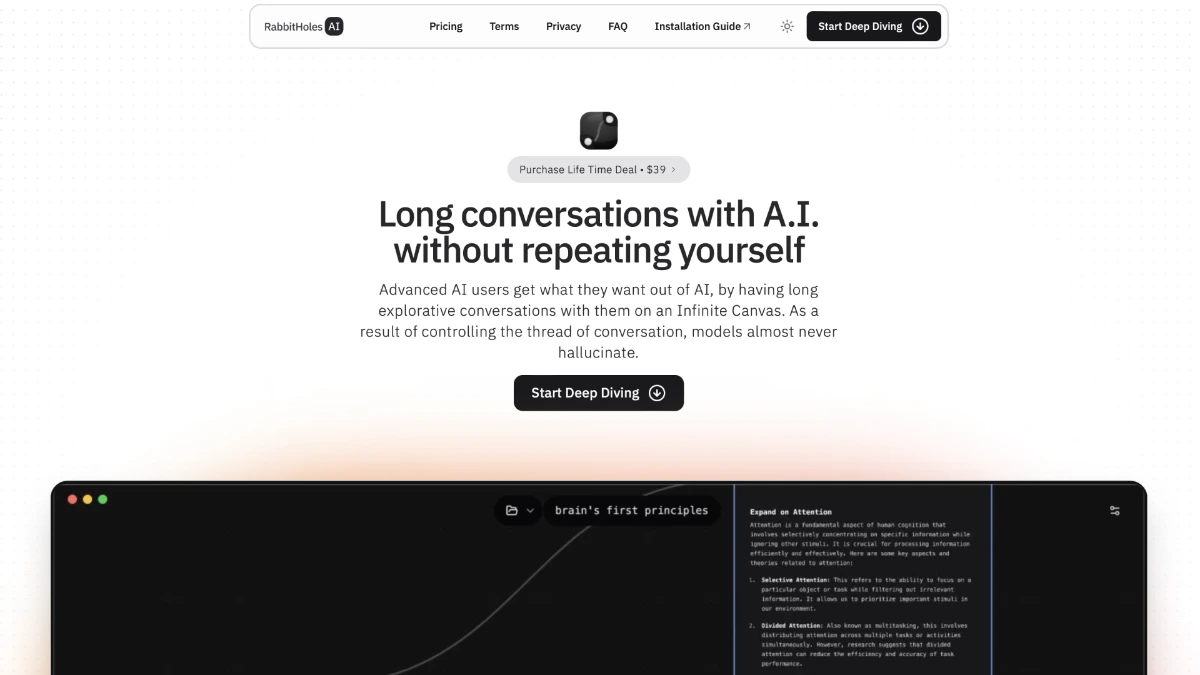
RabbitHoles AI, now branded as Slashspace, is a desktop AI workspace that lays out chats, files, and agents on an infinite canvas instead of a linear chat window. It runs natively on Mac, Windows, and Linux and supports frontier models such as GPT, Claude, and Gemini through a single interface. The product is built for people who juggle many related threads of thinking and want them visible side by side.
Why RabbitHoles AI works
Chat apps force a single linear thread, which loses the branches of real research. Slashspace places conversations and references on a spatial canvas where related threads stay near each other and earlier context stays in view, so a user can drop into any branch without rebuilding history. Files stay local on the device for privacy.
RabbitHoles AI features
- Spatial canvas workspace. Multiple AI conversations and agents sit side by side on one canvas so users can connect related threads instead of scrolling a single chat.
- Multi model access. Connects to frontier models from OpenAI, Anthropic, and Google, with bring your own key support on paid plans so users pick the best model per task.
- Deep research agents. Multi step research agents synthesize across many sources and return findings into the canvas for follow up questions.
- MCP and Cursor integration. Connects to Model Context Protocol servers and Cursor's agent API so coding and tool calling workflows live next to research.
- Local first storage. Workspaces stay on the device with offline use, which matters for users handling sensitive client or research data.
Who RabbitHoles AI is for
- Founders running competitive analysis and strategy work who keep many parallel threads on customers, markets, and product bets.
- Independent researchers and PhD students who need to pull together papers, notes, and model outputs in one visual map.
- Software engineers using Cursor or MCP tools who want a coding agent on the same canvas as their design notes.
- Writers and analysts who think by branching ideas and dislike losing context when a chat thread grows long.
Similar micro SaaS ideas you can build
- Visual Legal Research Studio. A spatial workspace for solo attorneys that places case law, statutes, and AI summaries on a canvas, sold per seat to small firms doing motion practice.
- Founder Deal Room. A canvas where startup founders cluster investor notes, pitch drafts, and call summaries during a fundraise, priced as a one round subscription.
- Patent Drafting Canvas. An AI assisted canvas for patent agents that arranges prior art, claim drafts, and figure annotations together, sold per matter to boutique IP firms.
- Curriculum Design Workspace. A spatial planner for course creators that pairs source material, lesson outlines, and AI generated assessments on one map, sold to independent educators.