What is Gleam Audio?
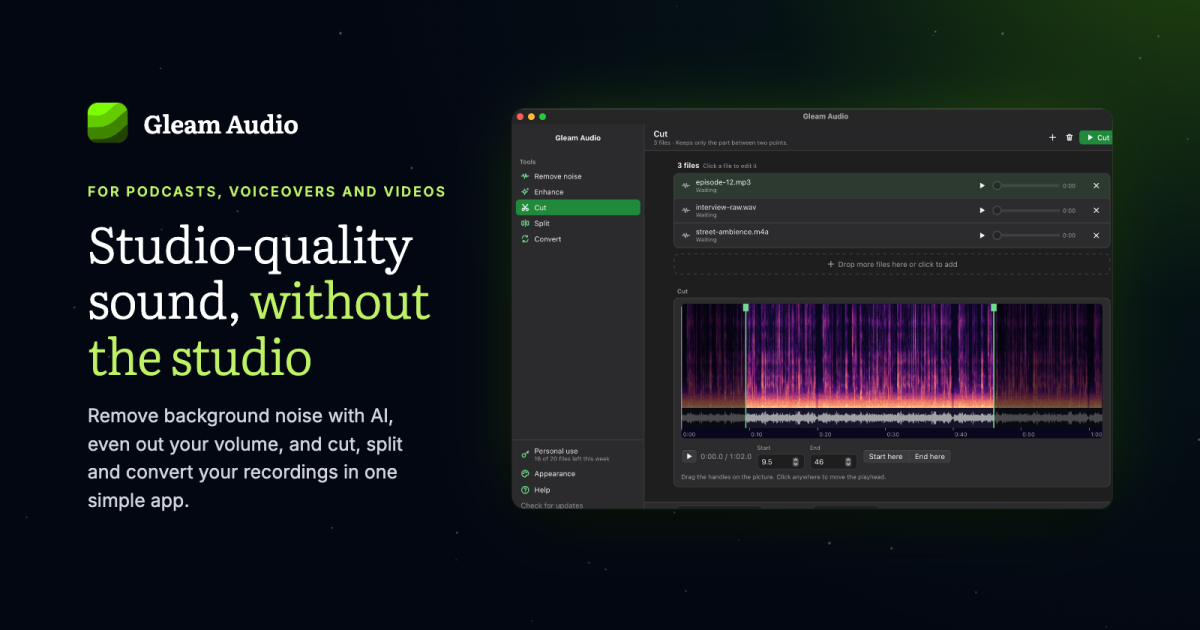
Gleam Audio is a desktop audio cleanup and editing app for podcasters, voiceover artists, audiobook narrators, video creators, musicians, teachers, students, and journalists. Drop in recordings and use Remove noise, Enhance, Cut, Split, or Convert, with batch processing available for noise removal, enhancement, and conversion. Everything runs locally on macOS, Windows, and Linux, and original files are never changed.
Why Gleam Audio works
Cleaning spoken audio often means either learning a full editor or uploading private recordings to a cloud service before anything can be fixed. Gleam Audio runs a speech trained noise removal model on the computer and keeps the cleanup, loudness adjustment, trimming, splitting, and conversion in one app, so creators can turn rough recordings into ready files instead of sending audio to a server or rebuilding the workflow across several tools.
Gleam Audio features
- Clean noisy speech locally. Remove noise targets fans, hum, traffic, fridge buzz, and room noise while keeping speech, with a strength control for leaving some room sound in the recording.
- Match loudness to the destination. Enhance adjusts volume for podcasts, audiobooks, music streaming, or broadcast and removes low rumble picked up by microphones.
- Cut and split from the waveform. Trim unwanted sections by dragging handles across a picture of the sound, or mark a long recording into episodes, chapters, songs, and clips.
- Convert common audio formats. Save files as mp3, wav, m4a, flac, ogg, or opus at the quality you choose.
- Process whole batches. Run Remove noise, Enhance, or Convert across a list of recordings at once, including on the free personal plan.
- Keep originals untouched. Every result is written as a new file beside the original or in a chosen folder, with control over the output name.
Who Gleam Audio is for
- Podcasters cleaning remote guest recordings and bringing episodes to podcast loudness before publishing.
- Voiceover artists recording outside a treated booth who need to remove room noise and deliver files in a client requested format.
- Audiobook narrators cleaning long sessions, keeping volume consistent, and splitting recordings into chapter files.
- YouTubers and video creators fixing noisy voiceovers or location audio before bringing it into a video editor.
- Musicians trimming demos, splitting live recordings into songs, leveling tracks, and converting files for other platforms or collaborators.
Similar micro SaaS ideas you can build
- Customer interview evidence packager. A private tool for UX researchers that turns long customer interviews into clean, consistently leveled evidence clips tied to each participant, so useful quotes can reach the product team without uploading raw research recordings.
- Oral history digitization queue. A desktop workflow for small museums and local archives processing years of recorded interviews, with batch speech cleanup, volume matching, splitting, and export so inconsistent recordings become a usable collection.
- Transcription handoff prep. A local utility for legal, research, and consulting teams that cleans noisy recordings, splits long sessions into manageable files, and converts them to the required format before they are sent for transcription.