What is Speechdub?
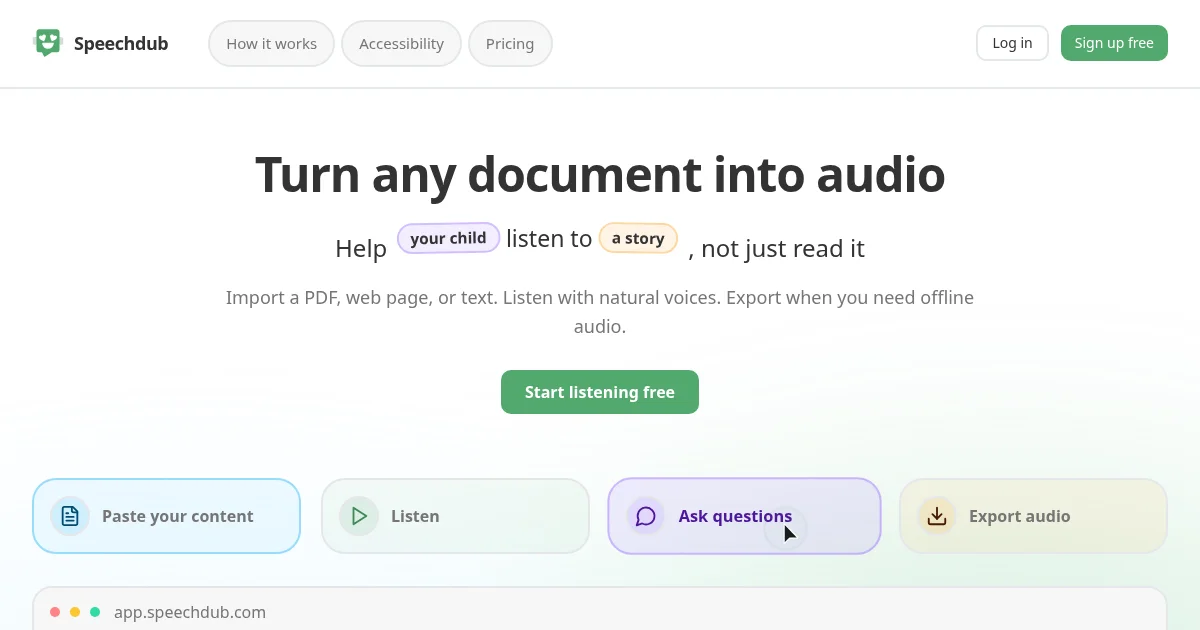
Speechdub is a document listening tool that converts PDFs, web pages, and pasted text into audio using natural AI voices. Users import content, choose a voice character and playback speed, and follow along with sentence-by-sentence highlighting as the document is read aloud. While listening, users can ask questions about the content by voice or text and hear the answers read back. A built-in skip-sentence feature lets users mute citations, repeated instructions, or code blocks without editing the source document.
Why Speechdub works
Reading long PDFs, research papers, or dense reports is slow and tiring, and most text-to-speech apps meter every minute of listening. Speechdub's Eco mode runs the same natural voices locally in the browser at no credit cost, so everyday desktop listening stays unlimited and free. The document chat layer adds a second pass over the same content, letting listeners ask clarifying questions mid-playback rather than switching to a separate tool.
Speechdub features
- Eco Playback. Runs text-to-speech locally in the browser at no credit cost, so unlimited desktop listening is free on any modern browser.
- Cloud Playback. Streams higher-quality audio on any device at roughly one credit per minute at 1x speed, so listening is not limited to a desktop browser.
- Document Chat. Lets users ask questions by voice or text while listening and hear answers read aloud, drawing one credit per reply plus model usage.
- Skip Sentences. Mutes specific sentences such as citations, repeated instructions, or code blocks during playback without touching the source document.
- Audio Export. Downloads any passage as an audio file for offline listening at 0.5 credits per started 30 seconds; cloud-cached sentences export at no cost.
- 31-Language Support. Handles import, playback, and voice transcription across 31 languages including English, French, Japanese, Korean, and Arabic.
Who Speechdub is for
- Students: listen to lecture PDFs and course pages at speed, skip citation blocks, and export audio for revision sessions during a commute.
- Professionals reviewing contracts and reports: listen to long documents hands-free and ask specific questions without re-reading dense sections.
- People with dyslexia or reading fatigue: Eco mode provides free unlimited audio playback with no credit card required, and reduced accessibility pricing is available on request.
- Language learners: import text in a target language, listen with natural voices at adjustable speed, and practice reading and pronunciation without a separate app.
- Researchers: convert papers and web sources into audio and use document chat to pull out specific answers while listening rather than scanning manually.
Similar micro SaaS ideas you can build
- Lecture Note Audio Converter. University students who receive PDF lecture notes each week; converts uploads to audio with a skip-chapter control so students can review dense slides at 2x speed during commutes, monetized by a per-month subscription tied to document volume.
- Contract Listen Tool. Lawyers and paralegals reviewing high volumes of contracts; reads documents aloud with a clause-flagging sidebar so reviewers can mark sections without stopping playback, sold as a per-seat SaaS with a credit top-up model.
- Language Immersion Reader. Language learners building reading fluency in a second language; imports articles in the target language, plays them at adjustable speed, and quizzes the learner on vocabulary after each passage, monetized through a monthly subscription with streak-based retention.