What is Speechdash?
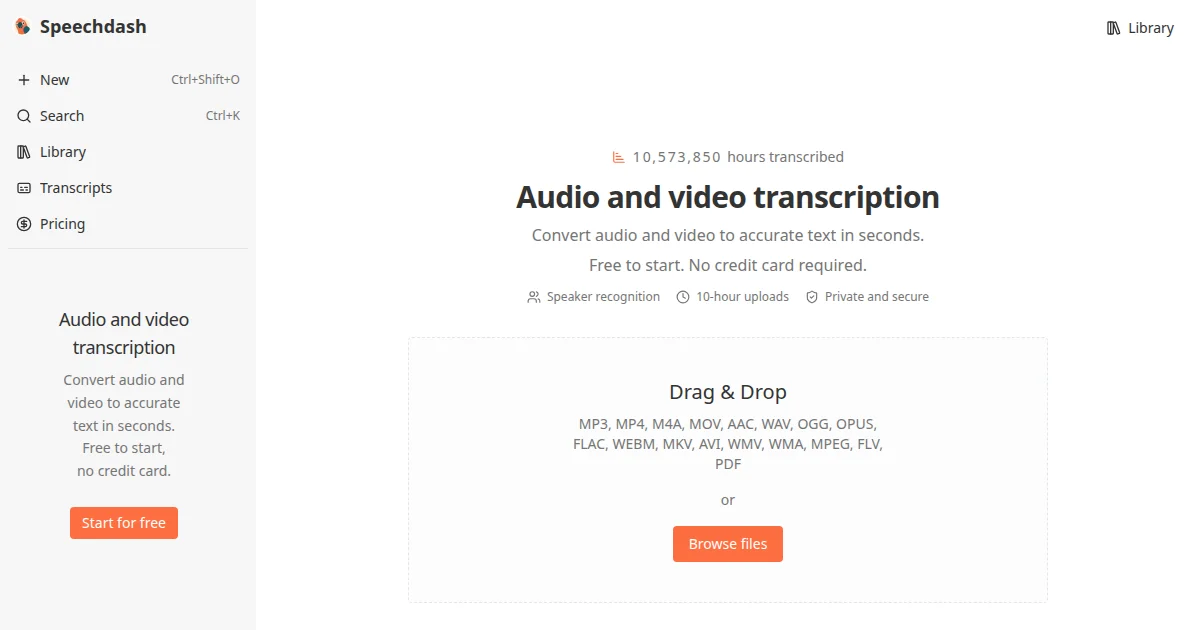
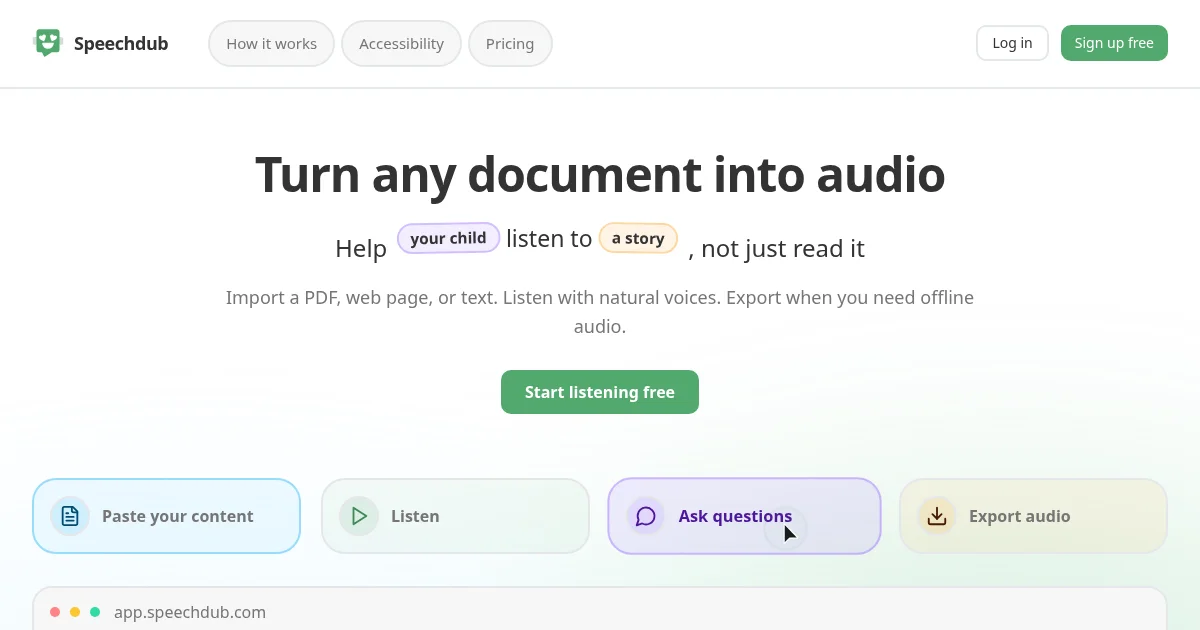
Speechdash is a browser-based transcription and document listening tool. It accepts audio and video files in more than a dozen formats, as well as PDFs, web page URLs, Word docs, Google Docs, and pasted text. Transcription returns editable, speaker-labeled text from files up to 10 hours long, while the listening side plays back any imported document sentence by sentence and lets users skip sections, mute footnotes, or ask questions about the content.
Why Speechdash works
Reviewing a long recording or a dense PDF normally means switching between a media player and a separate reader, losing your place as you go. Speechdash keeps transcription and listening in one browser tab: audio files come back as labeled, editable text, and documents play back sentence by sentence so you can follow along, skip ahead, or ask a question about a hard passage without leaving the page. Eco mode handles unlimited local playback at no credit cost, making it practical to work through long documents without watching a credit balance.
Speechdash features
- Audio and video transcription. Speaker-labeled output from files up to 10 hours long, accepting MP3, MP4, WAV, FLAC, MOV, and more than a dozen other audio and video formats.
- Document listening. Import PDFs, web page URLs, Word docs, Google Docs, or pasted text and follow the words sentence by sentence with synchronized highlighting while the voice reads aloud.
- Voice characters and speed control. AI voice characters including Narrator, Questioner, and Expert read back content with adjustable playback speed so the tone and pace fit the material.
- Eco mode. Plays audio locally in the browser without consuming credits and uses up to 20x less power than cloud playback, with unlimited usage on modern desktop browsers.
- Ask questions. Type or speak a question about the open file and receive an answer drawn from its content; voice input is supported.
- Audio export and API access. Export playback as an MP3 for offline use; a public REST API and an official MCP server let developers and AI agents work with Speechdash programmatically.
Who Speechdash is for
- Students who need to get through assigned readings or lecture recordings by listening rather than reading at a screen.
- Researchers who prefer to listen to academic papers and preprints while taking notes in a separate window.
- Professionals reviewing long contracts, reports, or briefs who want to hear the document read back during a commute or break.
- Developers and AI teams who need transcription or text-to-speech output available through a REST API or MCP server without building the infrastructure themselves.
Similar micro SaaS ideas you can build
- Lecture replay tool. For students, auto-segment class recordings by speaker turn and let users replay only the sections they flagged with a question, skipping everything else.
- Legal brief audio converter. For paralegals and attorneys, convert uploaded contracts or case files to audio with a professional voice and export for offline review during transit.
- Research paper listening queue. For academics, accept a batch of PDF uploads, generate a continuous listening queue ordered by a reading list, and track progress across sessions.
- Podcast transcript publisher. For independent podcasters, accept an uploaded episode and return a speaker-labeled transcript formatted for a show notes page or RSS feed description.