The idea
What it is
The problem
One partner texts "lunch at 1?" from the kitchen at 12:40. The other is on a call in the next room.
The text lands in Messages between a work thread and a group chat, and gets seen at 1:30 when the call ends. The other option was walking in mid-call, which they had already tried.
The product
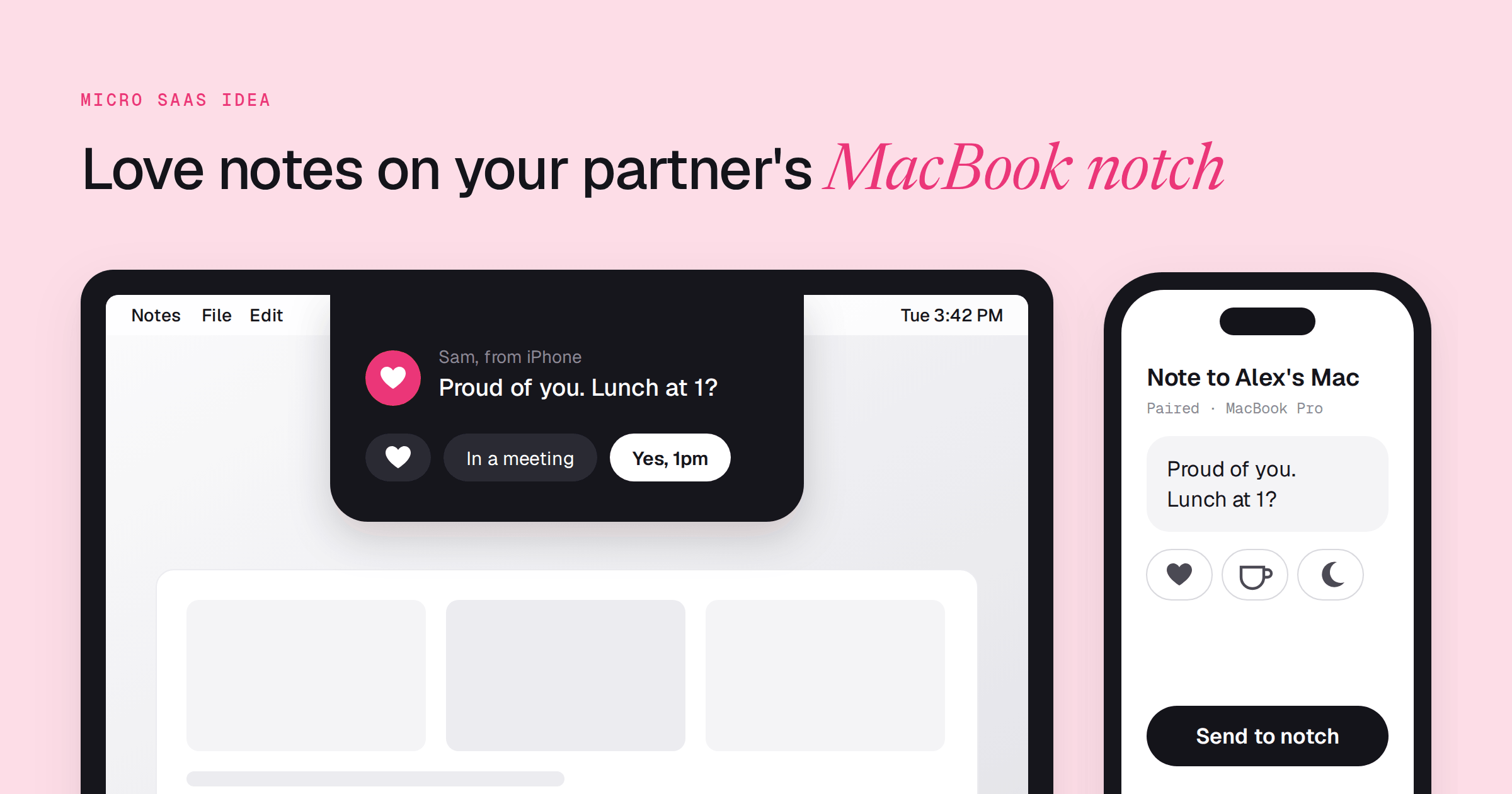
Type a short note on your iPhone: "coffee?" or "miss you." It appears beside your partner's MacBook notch while they work. They reply with one tap: an emoji, "busy" or "call you later."
Three things set it apart from sending a text.
- Only 2 people on the channel, paired with an invite code, so the note never sits in a pile of work threads
- Short notes only, with no thread to scroll, no badge count
- Shown at the notch, where the eye already goes, not buried in the notification stack
The weekend version: an iPhone app with one text box and a Mac menu bar app that shows the note at the notch.
Who pays
- Buyer
- A couple where at least one person works from home on a MacBook, the day a message that mattered got buried in the wrong thread.
- Price
- Starting point: $4.99 once per app, the price of QuakPit's Pro upgrade for a playful Mac menu bar app, or $7.99 for both apps as a couples bundle.
Why now
In September 2026 a maker posted a video of their Mac notch app showing "I LOVE YOU 3000" at the notch. The Notch MacMenuBar directory already collects notch apps for clipboards, files, tasks, music, system stats, voice and AI agents.
Most of them are utilities. This would be the first one built just for two people.
How to validate it
- Post a 30-second recording of a note appearing at the notch to r/MacApps and submit the app to the Notch MacMenuBar directory. Pass: 20 or more replies ask for a download link or beta access.
- Ask 20 couples where one partner works from home on a Mac how their last quick message during work hours went. Pass: 11 or more name a miss in the past week: a late reply, an unseen text or an interrupted call.
- Give a working build to 5 couples for 2 weeks and count the notes sent in week 2. Pass: 4 of 5 couples send 3 or more notes that week.
- Charge $4.99 for the Mac app at launch, with no free tier. Pass: 10 people outside your own network buy it within 30 days.
Examples like this
 SupasteProductivity A clipboard app opened from the MacBook notch, proof the notch works as an app surface
  MoojiSocial Shares status with close people in a few taps on an Apple Watch, the same tiny-note habit
  DeskMinderProductivity Puts hard-to-miss prompts on a Mac desktop while you work, the delivery moment this idea uses
  Hold My NotesProductivity Keeps short notes at the edge of the Mac screen, one pointer move away