What is Knockoff?
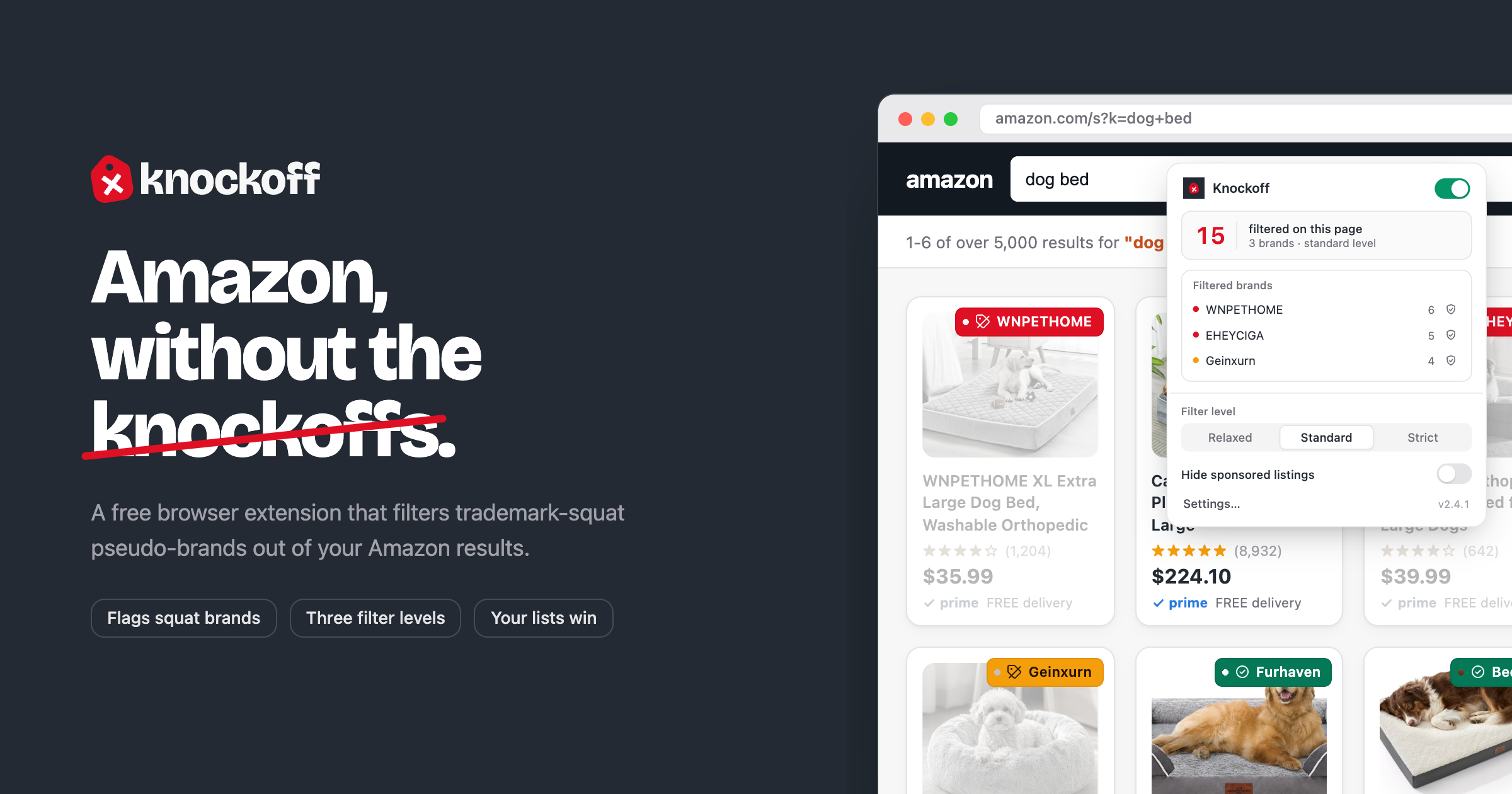
Knockoff is a free browser extension for Amazon shoppers who are tired of search results filled with trademark-squat pseudo-brands. It checks each brand on a results page against a daily refreshed register of 5,500+ established brands, scores unknown names, then hides, dims, or labels the listings you do not want to see. It works on Chrome, Firefox, and Safari, needs no account, and runs across all 23 Amazon marketplaces.
Why Knockoff works
Amazon search turns comparison shopping into brand archaeology when half the page is all-caps trademarks with no reputation behind them. Knockoff moves that decision upstream by appraising each brand as results render and letting personal trust and block lists override the shared heuristics, so a shopper starts from recognizable brands instead of opening one disposable listing after another.
Knockoff features
- In-page brand appraisal. Each Amazon page is checked as results load, with known brands passing through and unknown names scored in the browser.
- Hide, dim, or label. Flagged listings can disappear with a one-click reveal, fade until hovered, or stay visible with a warning chip.
- Daily brand register. A curated register of 5,500+ established brands refreshes daily, and accepted community fixes reach installs within a day.
- Personal trust and block lists. Shoppers can mark any brand as trusted or blocked from the results page, and those choices override every other signal.
- Sponsored listing toggle. A separate setting hides Amazon Sponsored placements from search results, off by default.
- All Amazon marketplaces. It runs on all 23 Amazon marketplaces, including amazon.com, amazon.co.uk, amazon.de, and amazon.co.jp.
Who Knockoff is for
- Amazon shoppers who keep seeing random all-caps brands in basic searches and want suspicious names removed before they click.
- Pet, home, and everyday category shoppers who want familiar brands to survive the first results page.
- Deal hunters who want the separate Sponsored toggle so paid listings do not take over search results.
- Privacy-sensitive extension users who want filtering to happen locally without creating an account.
Similar micro SaaS ideas you can build
- Amazon Business vendor filter. A browser extension for office managers buying on Amazon Business that dims unknown vendors, keeps an approved supplier list, and helps avoid one-off sellers that do not fit company purchasing rules.
- Plugin directory risk sorter. A developer tool that combines publisher history, update cadence, support activity, and install signals across plugin directories so teams can spot risky dependencies before opening the detail page.
- Facebook Marketplace seller shortlist. A trusted-seller tool for contractors buying used tools and equipment on Facebook Marketplace, with saved seller lists and warning labels for sellers the crew has already rejected.