The idea
What it is
The problem
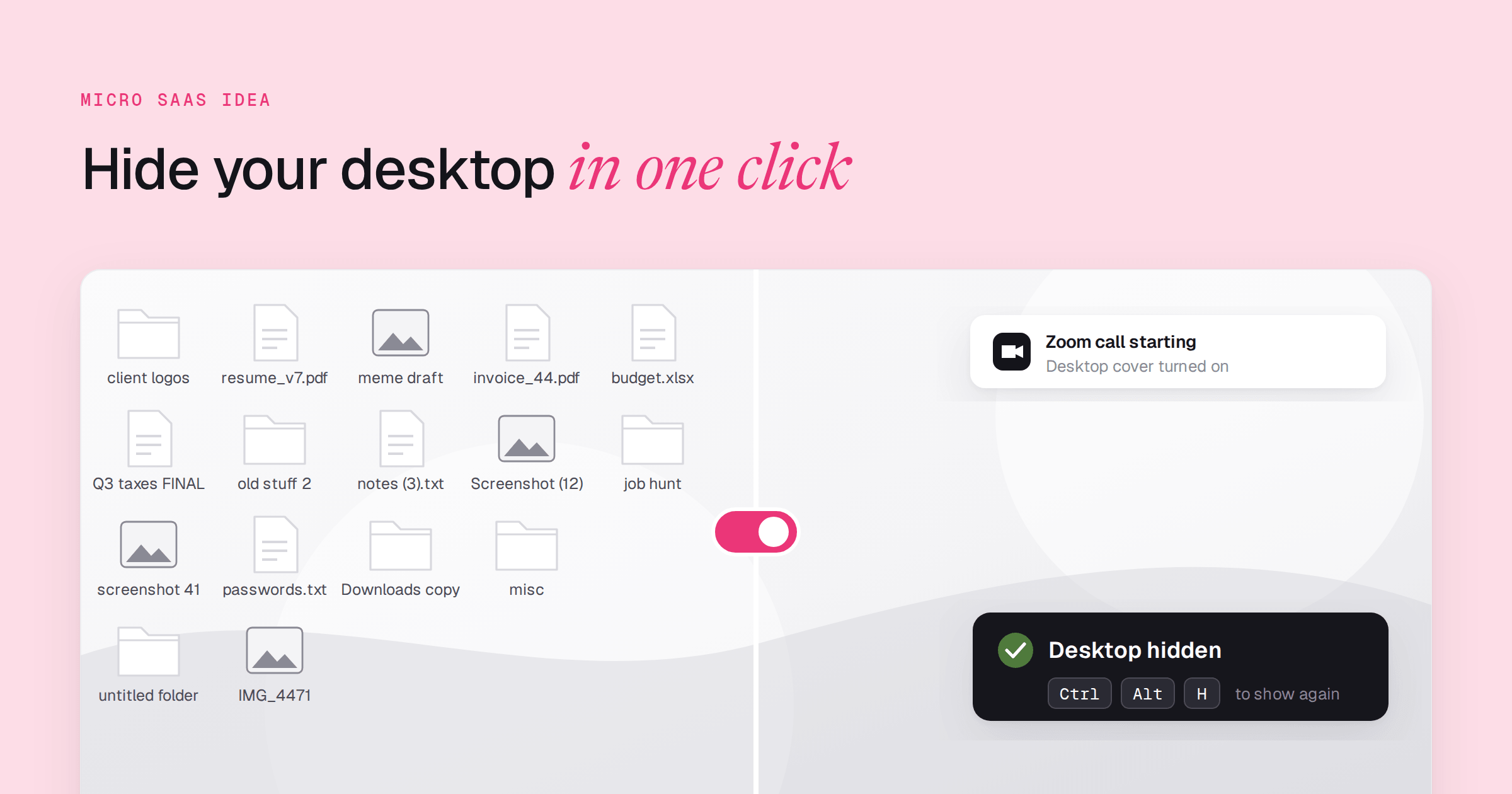
A consultant shares their screen on Teams twice a day. Their Windows desktop has 40 icons on it, including passwords.txt and last year's invoices. The minute before the 10:00 call they drag files into a folder.
They do it again before the 2:00 demo. Once a week they forget, and the first thing the client sees is all of that.
The built-in fix is right-click, View, Show Desktop Icons. It has to be undone by hand after every call. Nothing turns it on when Zoom opens.
The product
Press Ctrl + Alt + H, or just open Zoom. A clean cover drops over the whole desktop in one step. When the call ends press the shortcut again and every file is back where it was.
Three things set it apart from the right-click toggle.
- It fires by itself when Zoom, Teams, Google Meet, Loom or OBS opens, so you do not need to remember
- The cover can be the wallpaper, a blurred copy of it, a solid color or a custom image, so the screen looks intentional
- Files never move, which a cleanup folder cannot promise
The weekend version: a Windows tray app with one shortcut and one cover image.
Who pays
- Buyer
- A consultant or remote worker who screen-shares with clients a few times a day, the afternoon a file they should not have shown ended up visible.
- Price
- Starting point: $9 once, between QuakPit's $4.99 Pro upgrade and TinyFolder's $21 one-time license, two small desktop utilities in the catalog.
Why now
DeskMat covers the Mac desktop in one click and it is Mac-only. Windows users share their screens on the same Zoom and Teams calls. We have not found a Windows app that does the same thing.
How to validate it
- Ask Windows users in r/remotework whether they hide desktop files before they share their screen. Pass: 15 of the first 20 answers say yes.
- Ship a tray app that hides desktop icons with one shortcut and post it to r/Windows. Pass: 100 downloads in the first 7 days with no paid promotion.
- Charge $9 from day one, with no free tier. Pass: 5 strangers pay within 30 days and none ask for a refund.
- Add the Zoom and Teams auto-trigger and ask paying users after 2 weeks whether it fired on a real call. Pass: more than half say yes.
Examples like this
 ShacamProductivity A Mac app built for the screen-share moment: presenters choose exactly what the call sees
  ShotGlassProductivity Replaces the background behind a window in recordings, the same tidy-screen job for one capture
  QuakPitProductivity A tiny menu bar utility that draws one layer over the whole screen, even above fullscreen apps
  TinyFolderProductivity Keeps the Mac Dock tidy with app folders, a one-purpose fix for visible clutter