What is Vitrine?
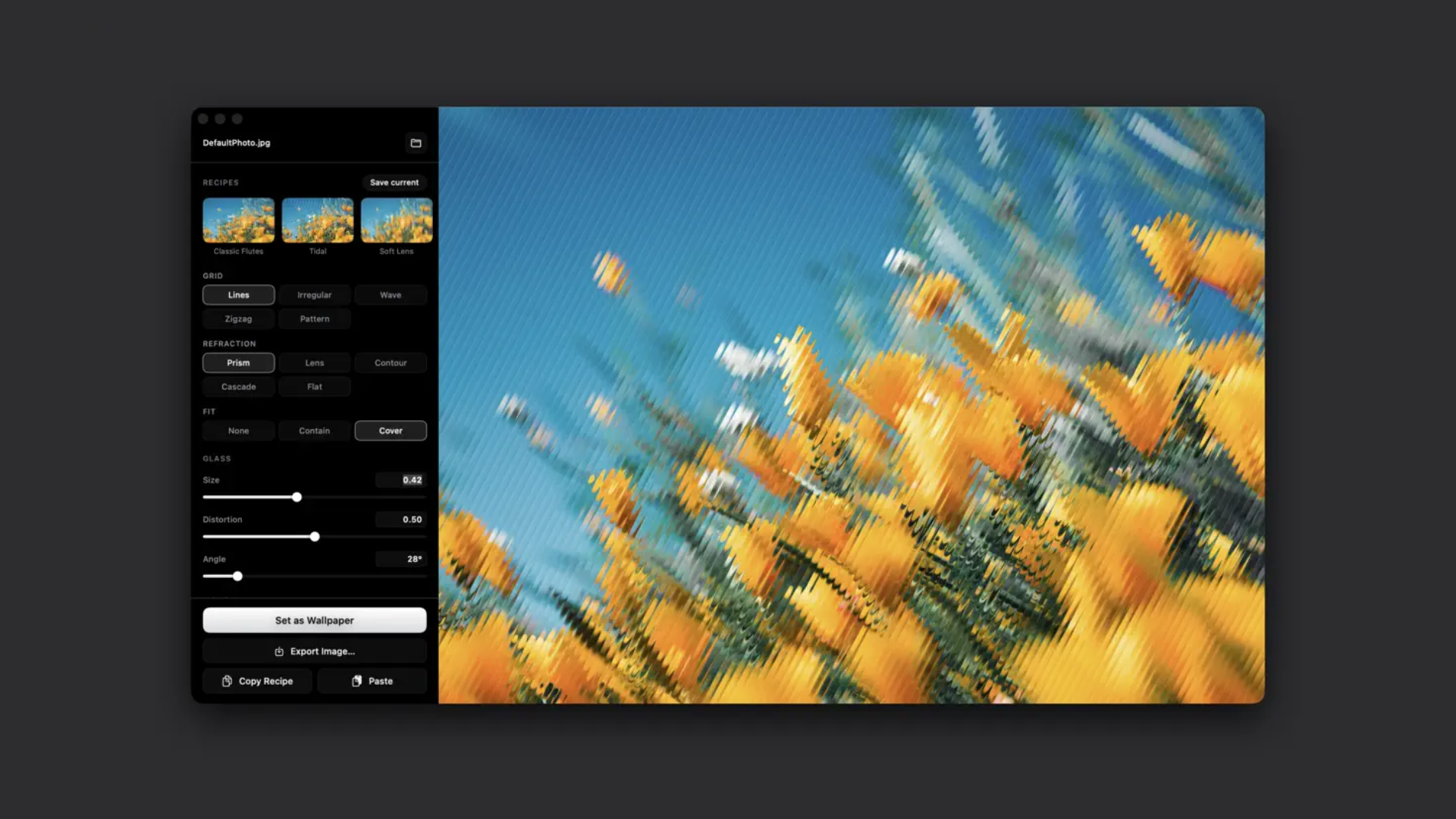
Vitrine is a Mac design app for people who want a personal desktop wallpaper from their own photos. Drop in a picture and it refracts the image through vertical glass ribs, then applies it as desktop wallpaper or exports a high resolution PNG. It includes live Metal preview, preset looks, saved recipes, and support for macOS 26.0 or later on Macs with Apple M1 chip or later.
Why Vitrine works
A raw photo can feel too literal as a desktop background when it has to sit behind windows all day. Vitrine turns the image into a frosted glass texture with live controls for ribs, blur, highlights, and shadows, so a personal photo becomes a calm wallpaper instead of a picture fighting the workspace.
Vitrine features
- Live Metal preview. Every adjustment renders instantly, so users can test a photo before committing it as wallpaper.
- Glass controls. Users choose line, irregular, wave, or zigzag patterns, then tune refraction, rib size, distortion, blur, highlights, and shadows.
- Preset starting points. Classic Flutes, Soft Lens, Cathedral, Wide Prism, Tidal, Cascade, Frosted, and Diagonal give users ready made looks they can edit.
- Wallpaper and PNG export. Finished images can be applied to every screen at each display's native resolution, saved as a high resolution PNG, or dragged to the desktop.
- Shareable recipes. Vitrine can copy exact settings as text, paste a recipe to recreate a look, and embed the recipe in every export.
- Local photo processing. There are no accounts, analytics, tracking, advertising, or servers that receive the user's photos or settings.
Who Vitrine is for
- Mac users who want a personal wallpaper from a photo without opening a full image editor.
- Designers and photographers testing abstract background treatments from their own images.
- People with multiple displays who want one generated wallpaper applied at each screen's native resolution.
- Privacy minded users who do not want photo edits, presets, or exports sent to a server.
Similar micro SaaS ideas you can build
- Private wallpaper studio for families. A local Mac app that turns family photos into calm abstract wallpapers, with reusable recipes for each person, pet, trip, or season. The value is making personal images feel ambient enough for daily use.
- Interior mockup texture maker. A design tool for decorators and home stagers that turns room photos, fabric swatches, and paint colors into soft background textures for mood boards and client decks.
- Album art background generator. A desktop app for musicians and podcasters that converts cover photos into abstract backdrops for release graphics, social posts, and YouTube visuals, while keeping the same saved visual recipe across a campaign.