What is Voice Command?
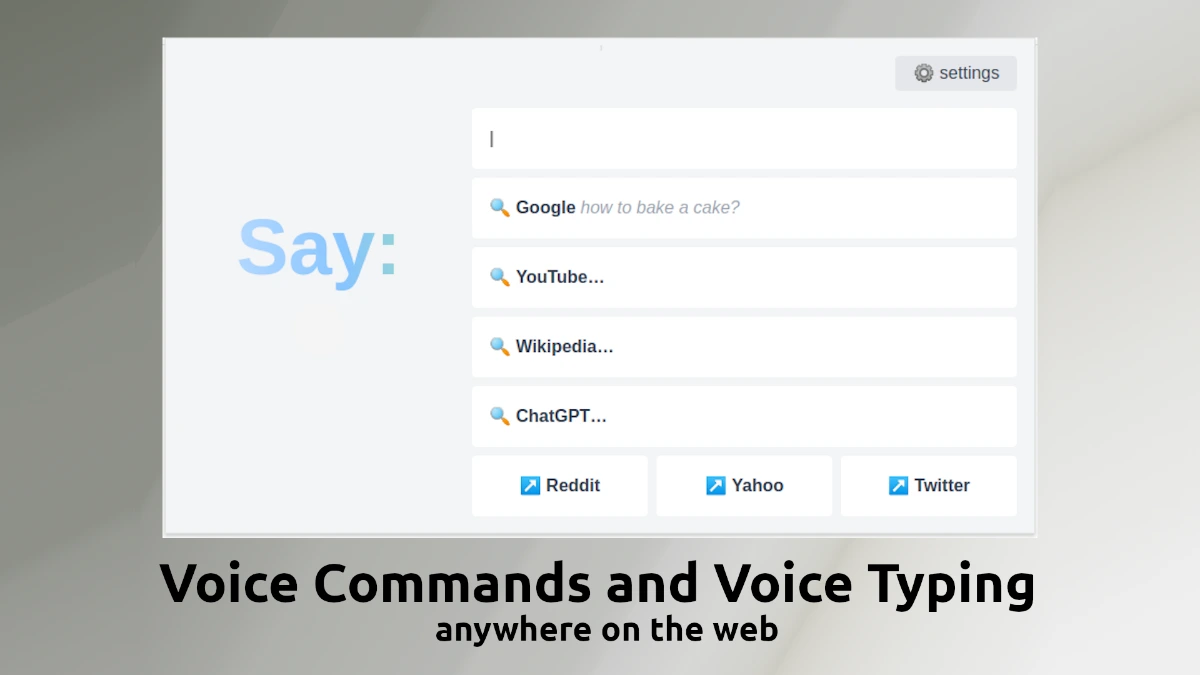
Voice Command is a Chrome extension that turns voice into browser actions, so users can search, ask ChatGPT, navigate to sites, and dictate text without typing. It supports two recognition engines, including a free option and OpenAI Whisper, and the free tier ships with five voice commands plus one custom command. Paid tiers run at three dollars monthly, nineteen dollars yearly, or a twenty-nine dollar lifetime purchase.
Why Voice Command works
Switching between mouse, keyboard, and clipboard for routine queries like checking a search or pinging ChatGPT slows down anyone doing repeated lookups. Voice Command replaces those movements with spoken triggers tied to actions a user already takes, which fits hands-busy contexts like cooking, note-taking, or accessibility needs. The Whisper option also covers users who need more accurate transcription than browser-native speech recognition provides.
Voice Command features
- Voice search and chat triggers. Lets users invoke searches and ChatGPT prompts by saying a keyword plus a query, which removes a manual context switch.
- Custom voice commands. Lets users define their own voice keywords mapped to actions like opening a site, useful for repeat workflows.
- Speech-to-text dictation. Dictates into any text field with a hotkey, useful for people who think faster than they type.
- Whisper engine option. Routes recognition through OpenAI Whisper for users who want higher accuracy than the free engine.
- Multilingual recognition. Supports multiple languages so the extension works for non-English speakers and bilingual users.
Who Voice Command is for
- Knowledge workers who run dozens of micro-queries an hour and want to skip the tab-and-type ritual.
- Accessibility users with limited hand mobility who already rely on voice for input across the web.
- Multilingual users who switch between languages for searches and notes and want one tool handling both.
- Content creators and researchers dictating notes into Notion, Google Docs, or AI chat windows during recording sessions.
Similar micro SaaS ideas you can build
- Voice macros for Google Docs reviewers. A focused extension that lets editors run common review actions like accept all in a section or insert comment by voice, sold per editor seat.
- Hands-free recipe assistant for Chrome. A browser extension for cooking sites that scrolls recipes and reads steps aloud on voice command, billed via a small premium subscription.
- Voice-driven Jira and Linear ticketer. An extension that turns spoken updates into well-formed tickets and comments in Jira or Linear, sold per developer seat.