What is Trails?
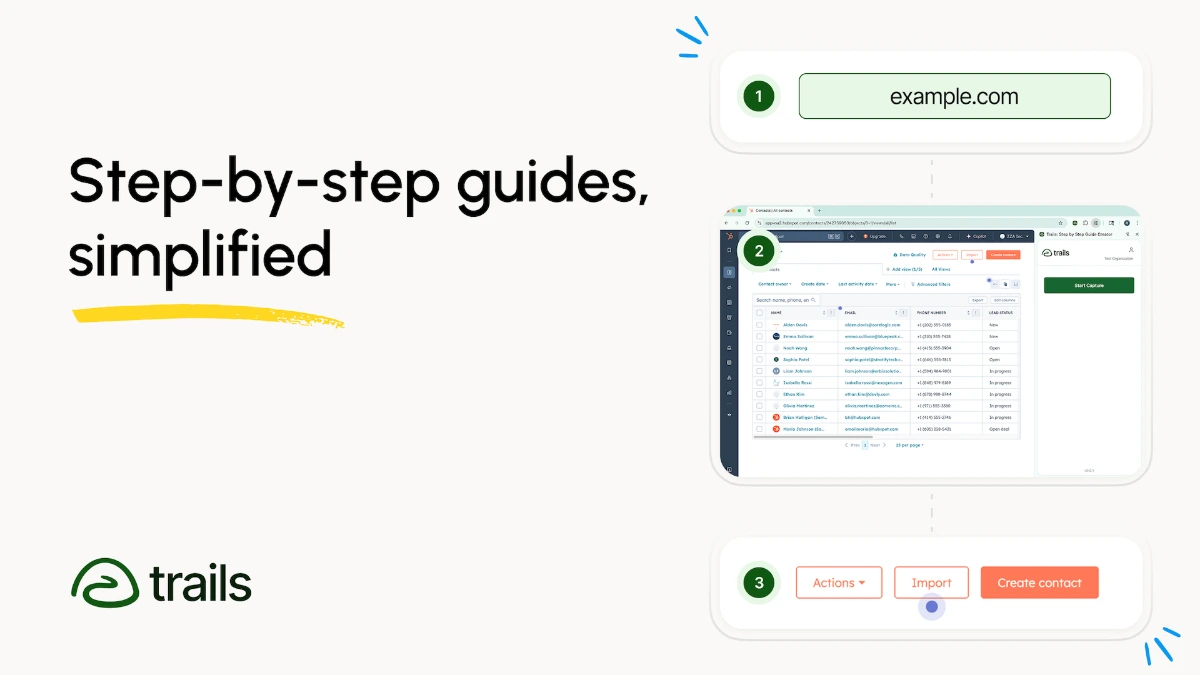
Trails is a documentation tool that turns screen recordings into AI polished how to guides and short training videos. Users record web based processes through a Chrome extension, desktop app, or uploaded video, and the platform produces an annotated guide with step text, screenshots, and an optional AI voiceover. Output can be shared as a link, embedded into a knowledge base, or exported as PDF, with sensitive data auto blurred.
Why Trails works
Most teams know they should document their processes but never start because formatting screenshots and writing each step is tedious. Trails removes that friction by capturing the workflow once and letting AI handle annotation, voiceover, and clean up, so documentation goes from a side project to a side effect of doing the work.
Trails features
- Three recording methods. Users can record through a Chrome extension, a desktop app, or by uploading a video so different tools and operating systems fit the same workflow.
- AI voiceover. Generated narration converts step text into spoken commentary so guides can ship as short training videos, not only written docs.
- Auto blurring. Sensitive information is blurred automatically so screenshots that go into shared docs do not need manual redaction.
- Smart annotation. Screenshots are annotated automatically with highlights and step descriptions so the operator does not have to draw arrows by hand.
- Multiple distribution formats. Finished guides can be shared as links, embedded into a knowledge base, or exported as PDFs depending on the audience.
Who Trails is for
- Operations leads at growth stage SaaS companies documenting standard operating procedures who need a faster way to produce up to date guides.
- Customer support teams capturing repeat ticket resolutions into a knowledge base so agents and customers can self serve.
- HR and people teams building onboarding tracks where new hires need to see exactly how internal tools are used.
- Consultancies and agencies handing off processes to clients who want a polished video and document deliverable rather than raw screen recordings.
Similar micro SaaS ideas you can build
- AI SOP generator for ecommerce ops. Tool for ecommerce ops leads that records and turns Shopify, Klaviyo, and shipping workflows into branded SOPs for VAs, sold per store.
- Internal audit walkthrough recorder. Tool for audit and risk teams that captures control walkthroughs as annotated, time stamped guides for evidence packs, sold per audit engagement.
- Webinar to docs converter. Service for community led companies that turns recorded customer workshops into searchable, step by step docs in the help center, sold per workshop or per seat.