What is Open Source Alternatives?
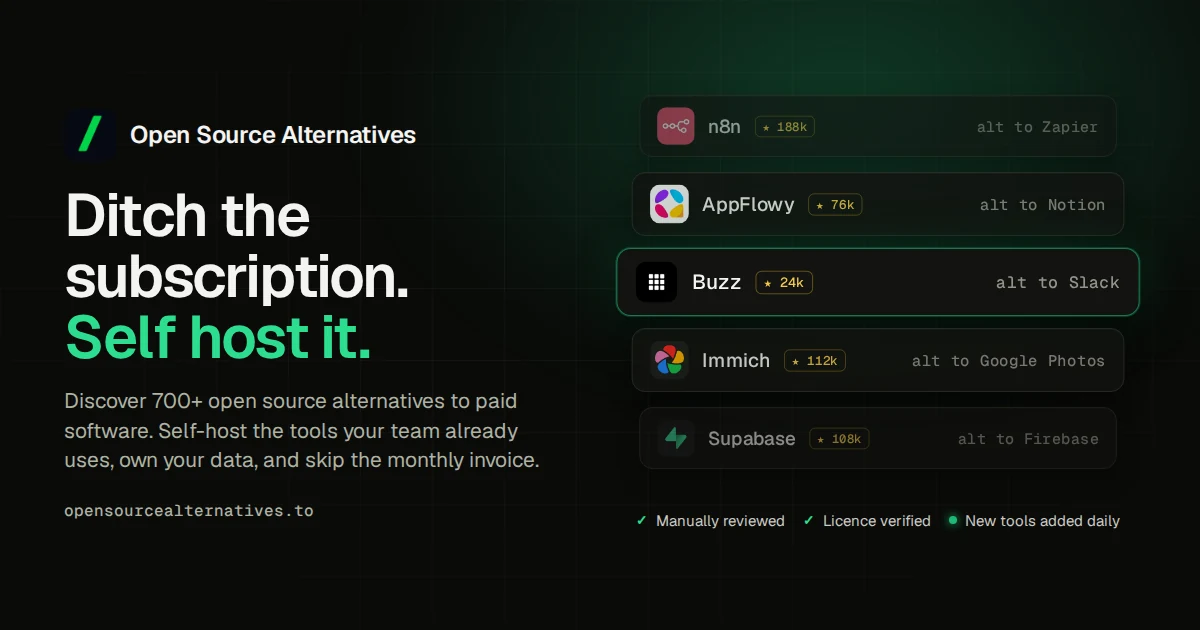
Open Source Alternatives lists self-hosted open source tools by category and tag, with each entry naming the paid product it replaces. Listing pages carry a GitHub-verified badge and display the repository license alongside the tool description. The site also publishes alternatives guides for popular paid products, a blog with comparisons, and a free weekly email digest.
Why Open Source Alternatives works
Finding a trustworthy self-hosted replacement for a paid tool normally means sorting through GitHub search results, Reddit threads, and outdated blog posts with no signal on maintenance or licensing. Open Source Alternatives narrows that to manually reviewed listings where each entry confirms active upkeep, a clear license, and the paid product it replaces.
Open Source Alternatives features
- Category browsing. Listings span categories covering Developer Tools, Business and Productivity, and Security and Monitoring so visitors narrow by domain.
- Alternatives guides. Dedicated guide pages rank open source options for popular paid products including Notion, Slack, Zapier, and Firebase.
- GitHub verification. Listing pages show a verified badge and the confirmed license so visitors can assess project health before installing.
- Curated collections. Editors group related tools into named collections so visitors can explore by theme without starting from a keyword search.
- Weekly email digest. A free newsletter delivers new and updated listings to subscribers who prefer not to check the directory manually.
Who Open Source Alternatives is for
- Developers evaluating self-hosted infrastructure tools who need to confirm active maintenance and open licenses before adopting a stack.
- Startup founders replacing SaaS subscriptions with self-hosted tools who need a vetted shortlist they can act on without extended research.
- IT managers at small companies setting up internal tooling who need self-hosted options with clear licensing for procurement approval.
- Privacy-focused individuals moving personal data off cloud services who need actively maintained tools they can run on their own servers.
Similar micro SaaS ideas you can build
- Open source stack finder. A tool that maps a user's current SaaS subscriptions to vetted self-hosted alternatives by category, priced per seat per month.
- Niche alternatives directory. A curated directory of self-hosted tools scoped to one vertical such as legal or healthcare, with featured listing slots sold monthly to software vendors.
- Self-hosted migration service. A managed service that installs and configures open source alternatives for small businesses leaving paid SaaS tools, charged per migration project.