What is HeyBop.ai?
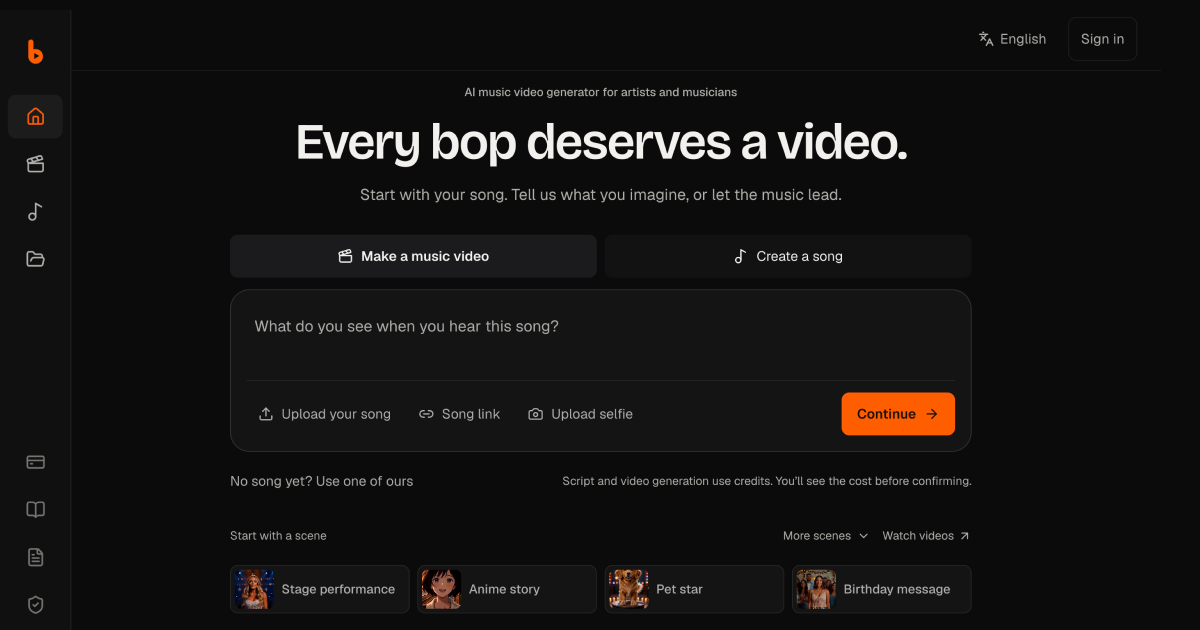
HeyBop.ai is an AI music video generator for artists, musicians, producers, and small labels that need release visuals without filming a video. Upload a song or import one by link, choose a visual direction, and it analyses the tempo, beats, sections, and hook before writing a shot list, generating each scene, and cutting the clips to the beat. It runs in the browser on phones and computers, with MP4 exports for vertical, widescreen, square, and portrait formats.
Why HeyBop.ai works
Making a music video normally means planning shots, filming footage, and editing every cut back to the track. HeyBop starts from the song itself, builds scenes around its beat grid, and lets you regenerate a single weak shot without rebuilding the rest, so the finished video follows the structure of the music instead of forcing generated clips into an edit afterward.
HeyBop.ai features
- Beat based video planning. HeyBop analyses tempo, beats, sections, and the hook before generating, then assigns scenes to that beat grid and trims the finished clips to match it.
- Scene by scene regeneration. Change a scene prompt or camera move and regenerate only that shot while keeping the rest of the video unchanged. Failed generations return their credits automatically.
- Bring your own music and characters. Upload MP3, WAV, FLAC, M4A, AAC, or OGG files up to 200 MB in the studio. Projects can include up to 3 people, pets, or mascots, with up to 3 photos for each character.
- Custom looks and direction. Start with styles such as cinematic, anime, K pop, or retro, then describe the story, setting, and individual scenes in your own words. Generated scenes are made for the project rather than pulled from a stock video library.
- Release format exports. Export MP4 in 9:16 for TikTok, Reels, and Shorts, 16:9 for YouTube, or 1:1 and 4:5 for social feeds. Projects can also produce a public share page with an embed.
- Song creation inside the workflow. Music Lab can create a full vocal song from a prompt or supplied lyrics for 40 credits, then send that song directly into the video workflow.
Who HeyBop.ai is for
- Independent artists releasing singles who need TikTok, Reels, Shorts, or YouTube visuals without organizing a video shoot.
- Producers and AI music creators who already have finished tracks and want generated scenes cut around the actual tempo and song sections.
- Bands and singer songwriters who want to include themselves, band members, pets, or mascots in generated release visuals using reference photos.
- Small labels managing regular releases that need watermark free commercial exports and a repeatable way to create videos for several tracks.
Similar micro SaaS ideas you can build
- Voiceover to product demo. A tool for solo software founders that takes a finished launch voiceover, maps its sections, and generates timed product scenes around each point so the visual story follows the narration instead of being assembled clip by clip.
- Guided workout video builder. An app for fitness coaches that turns a workout audio track into a scene plan, with exercise visuals and transitions aligned to timed cues so a complete class can be produced from the audio structure.
- Audio lesson visualizer. A tool for educators and course creators that breaks a recorded lesson into sections, generates a visual for each concept, and lets individual scenes be replaced without rebuilding the full video.